Connect Trendful Inventory Management System to your Shopify Store
Connecting Trendful IMS to your Shopify store is now faster and fully automated.
No manual API tokens, private app credentials, or metafield configuration. Everything is handled securely by Shopify.
Follow these steps to get connected.
1. Install the Trendful IMS App on Your Shopify Store
Trendful will send you an installation link created specifically for your store. Because the app is tied to your store’s domain, only someone with access to your Shopify admin can install it, which is why this first step happens on your side.
- Open the installation link Trendful sent you.
- Log in to your Shopify admin if you are prompted to.
- Review the permissions (required for inventory sync) and click Install.

Once installed, Trendful IMS appears in your Shopify admin under Settings → Apps and sales channels, where you can review its permissions at any time.
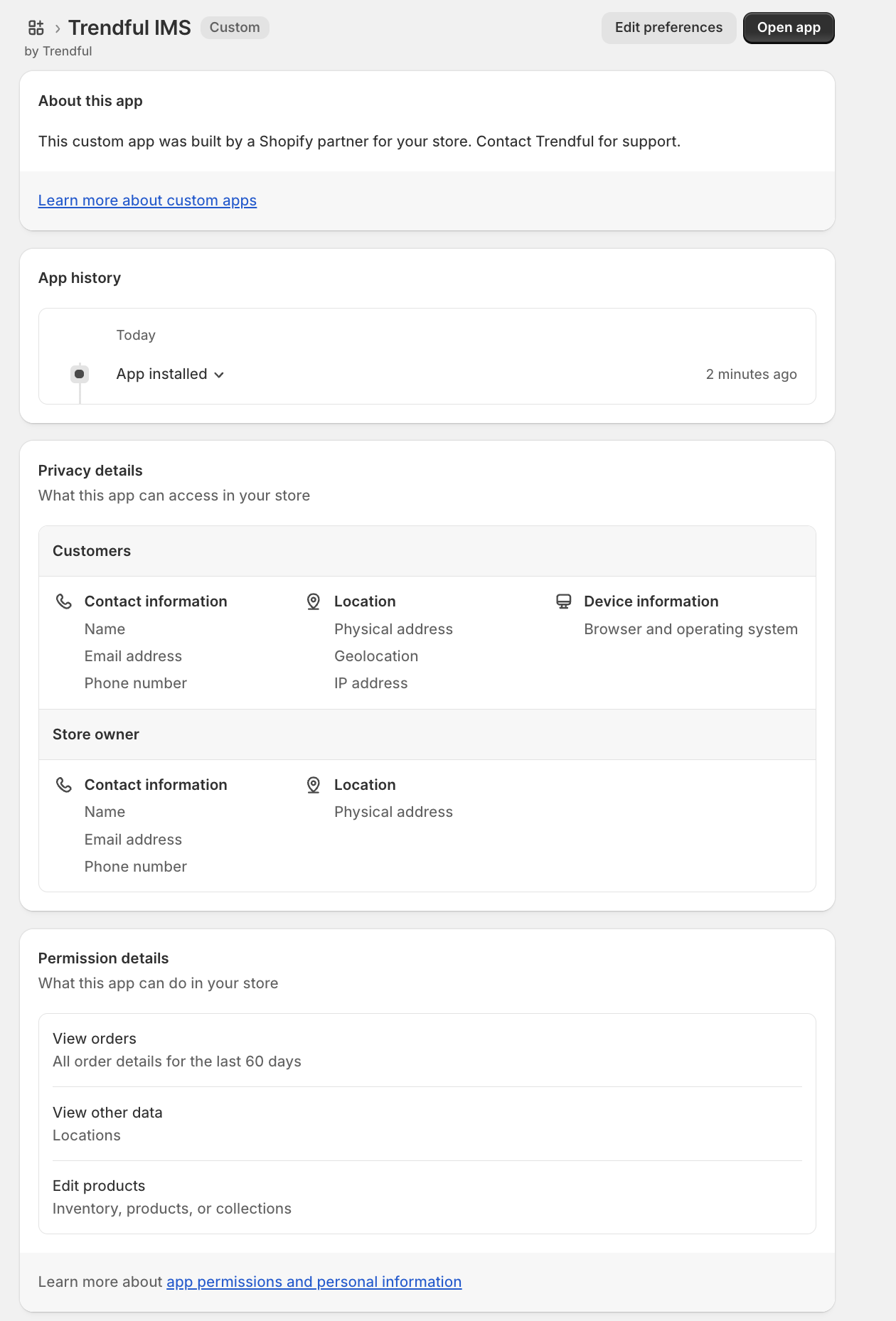
2. Activate the Connection in Trendful
Now that the app is installed, activate the connection from your Trendful Admin. This confirms the installation and creates the webhook subscriptions that keep both systems up to date.
- Log in to your Trendful Admin.
- Go to Settings → Preferences → Inventory.
- Click Activate connection under the Shopify section.
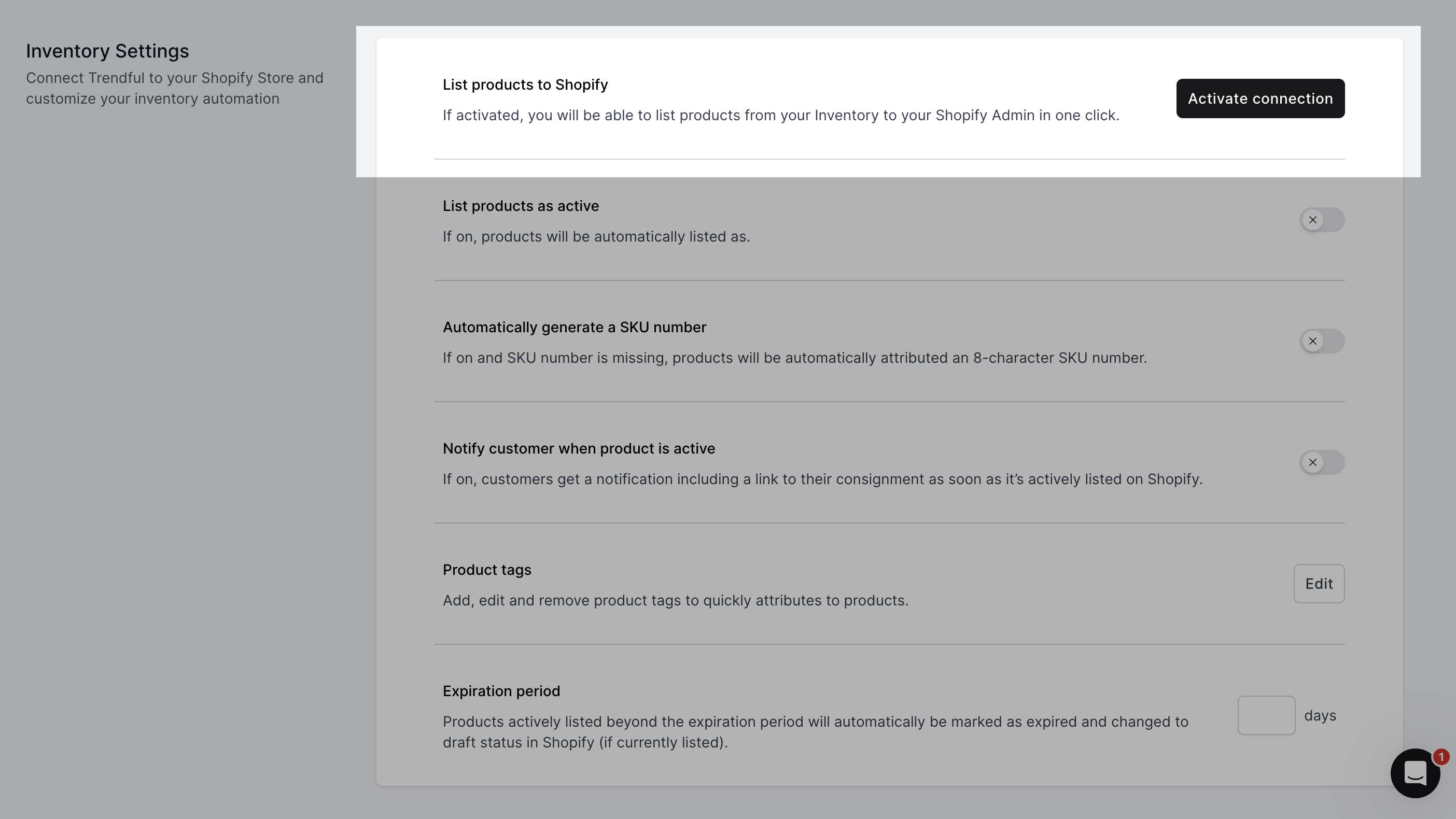
If activation reports that the app is not installed, go back to step 1 and open your installation link again.
3. You're Connected!
The Shopify section now shows Connected, and your inventory will begin syncing automatically.
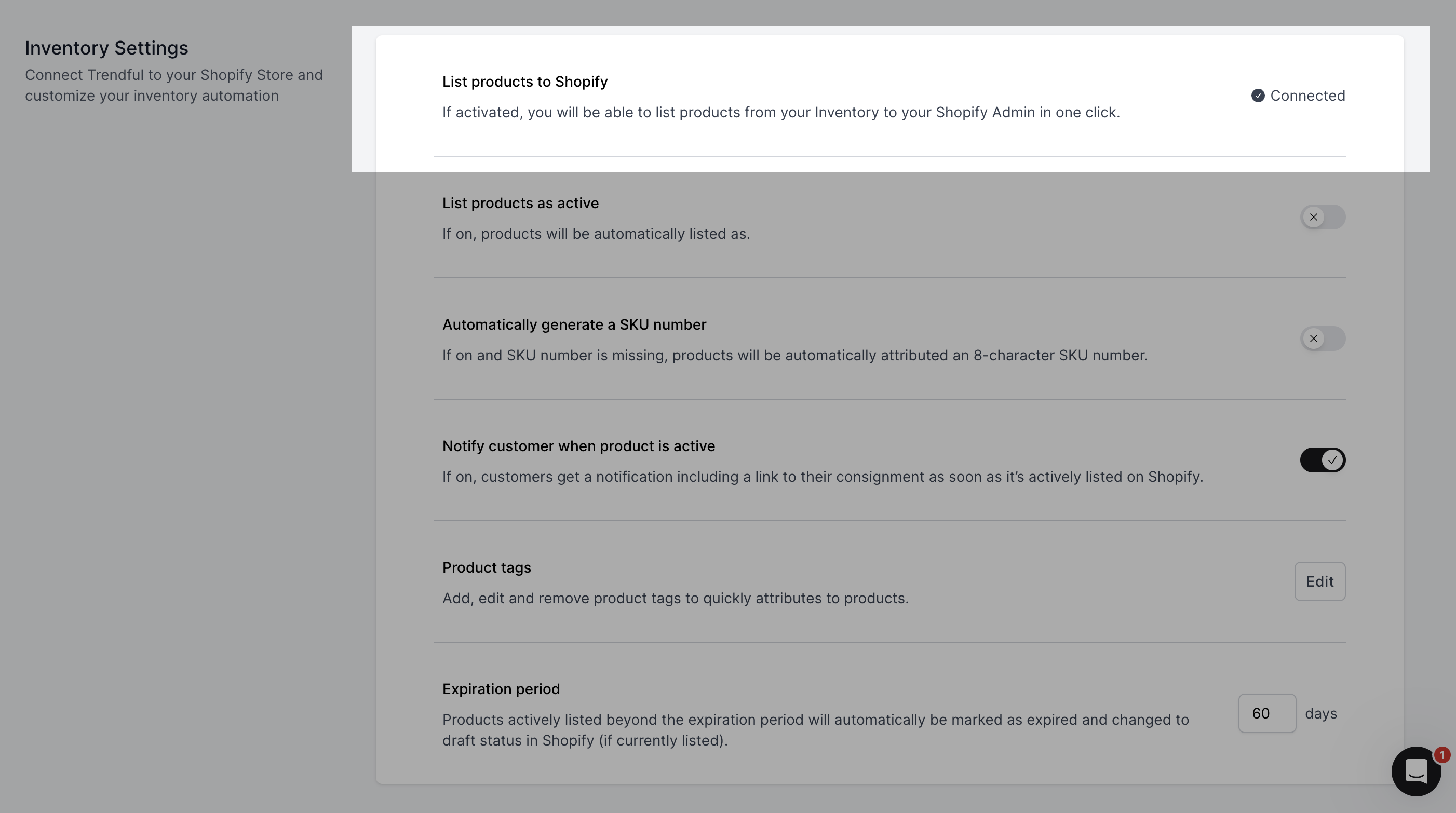
Trendful will now:
- sync product & inventory data
- listen for Shopify updates in real time (webhooks)
- keep your IMS and Shopify fully in sync
Nothing else is required on your end.
If you have any questions during setup, contact us at support@trendful.com. We’re here to help!