How do I change or add credit cards to my account?
Once you log into your admin account, click on “Settings” at the bottom left-hand corner.
Next click on “Billing” in order to change or add credit cards to your account. (See image example below)
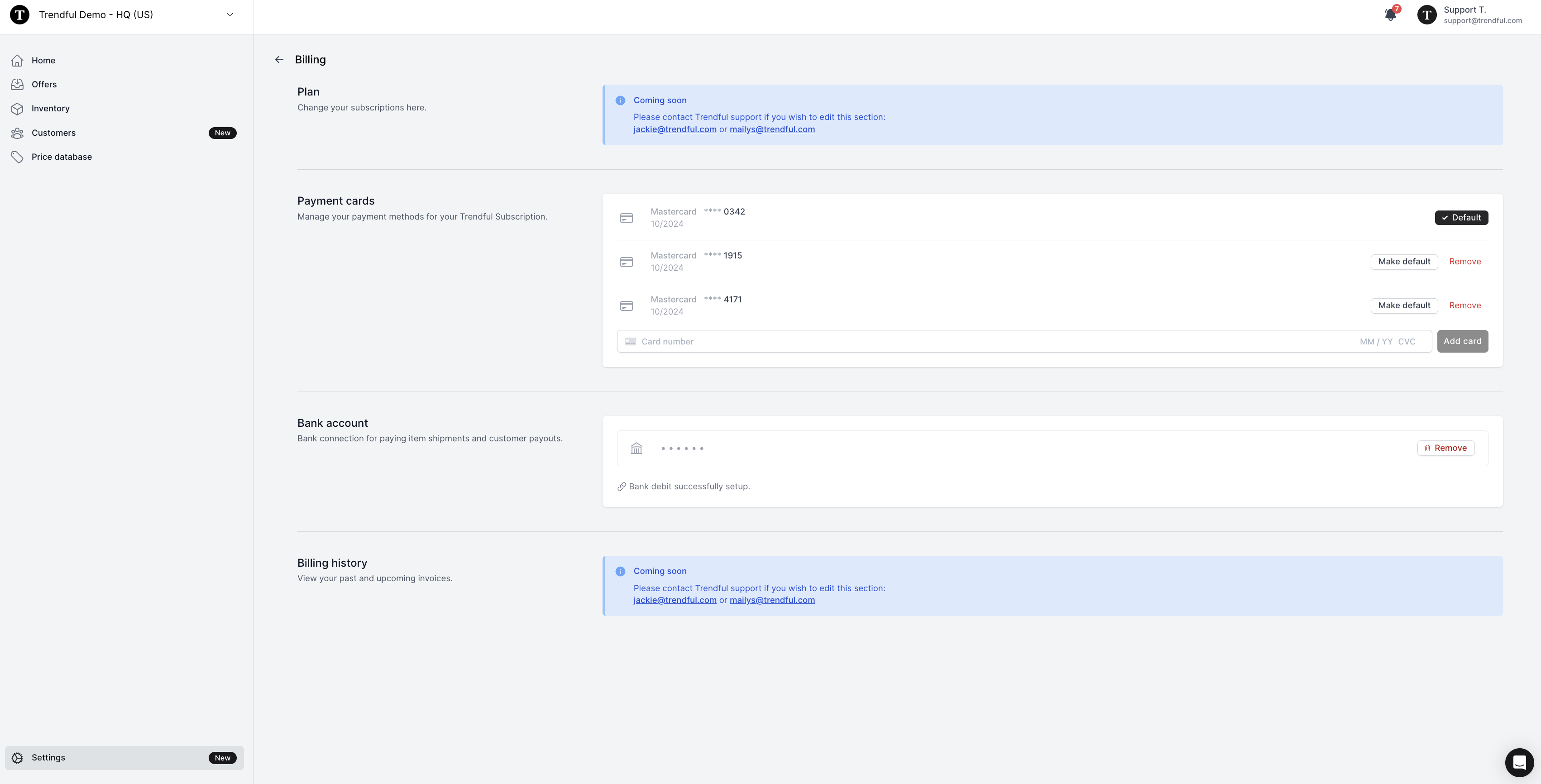 You can add multiple credit cards in your admin account. However, only one credit card can be marked as “Default”.
More about Trendful Admin
- Can I generate shipping labels for draft offers and manual quotes?
- How can I change my email and/or password in my admin account?
- How do I change my profile name in my admin account?
- How do I change the email notifications I receive?
- How do I create a Trendful Admin account?
- How do I edit an instant offer and/or manual quote request?
Still stuck? Get in touch or browse all 144 answers.