How do I create a quote for a customer’s quote request?
When logged onto your admin account, click onto a quote request from your offer overview.
Follow these simple steps to create a quote for your customers:
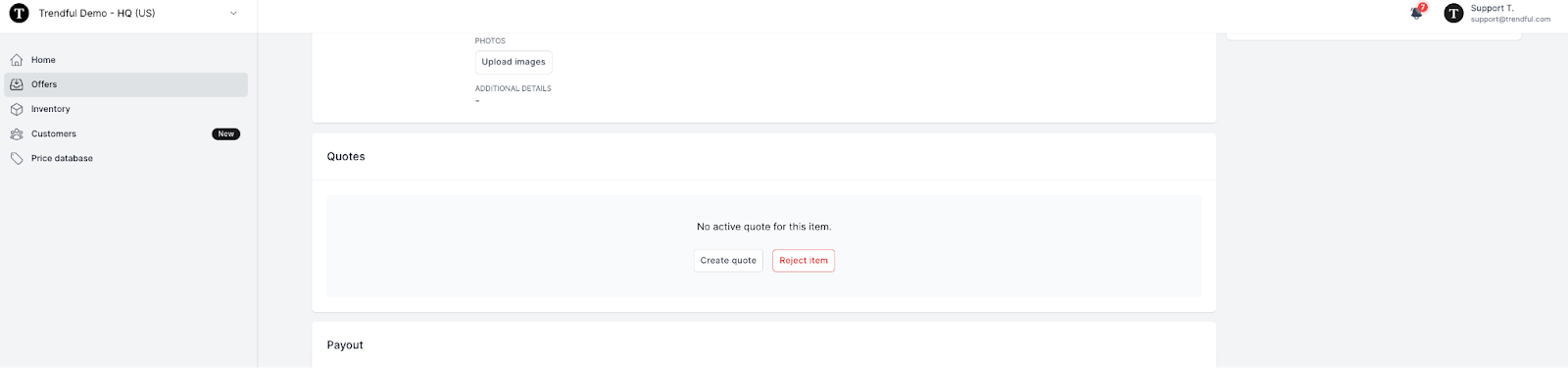
- Once you have clicked on a quote request, you can scroll down the page to the “Quotes” section (see the image example below).
-
Here you can decide to “Create a quote” or “Reject item”.
-
Once you click “Create a quote” a window will pop-up for you to select which offer option you would like to send your customer (buyout, consignment, store credit).
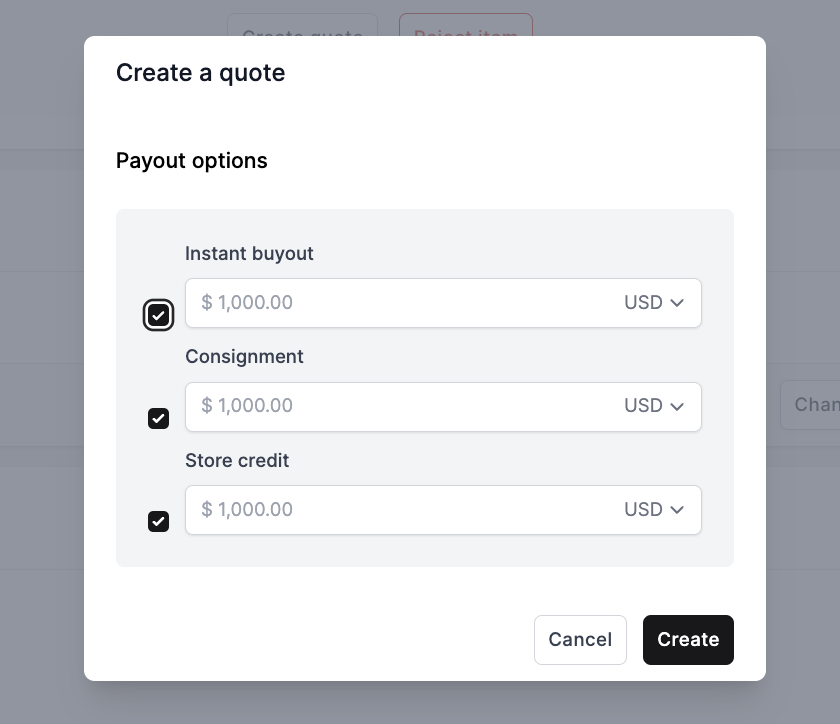 4. Once you have selected the option(s) you would like to create for your customer, click “Create”. The quote will now be active (see the image example below).
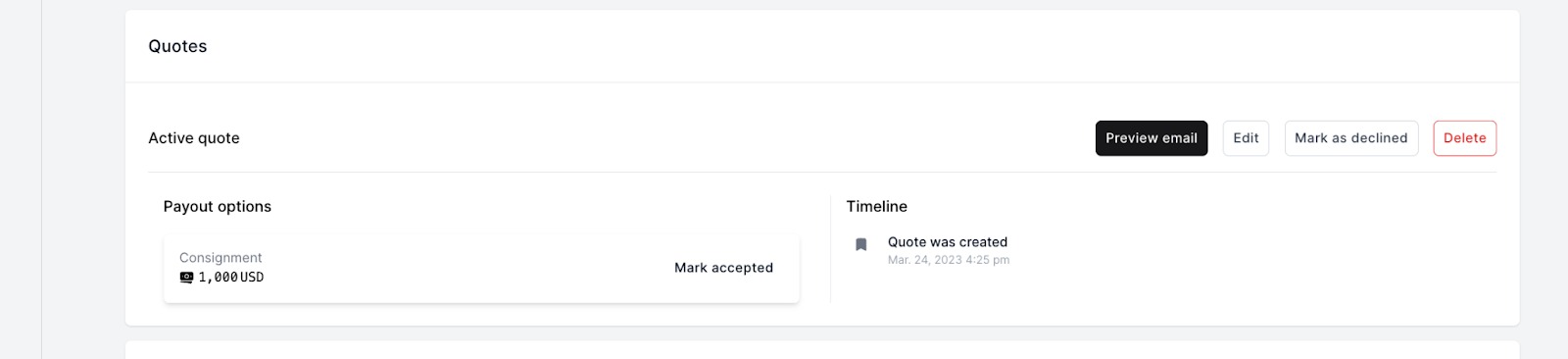
Now that you have created your quote you can see the quote timeline. You can also still go back and edit the quote or even delete this quote and re-create another quote for your customer.
More about Offer Management System
Still stuck? Get in touch or browse all 144 answers.