How do I edit an offer?
You can edit existing instant offers and manual quotes, simply click on the particular offer you want and click “Edit Offer” in the top right-hand corner.
See image example below, with the “Edit offer” button outlined in red.
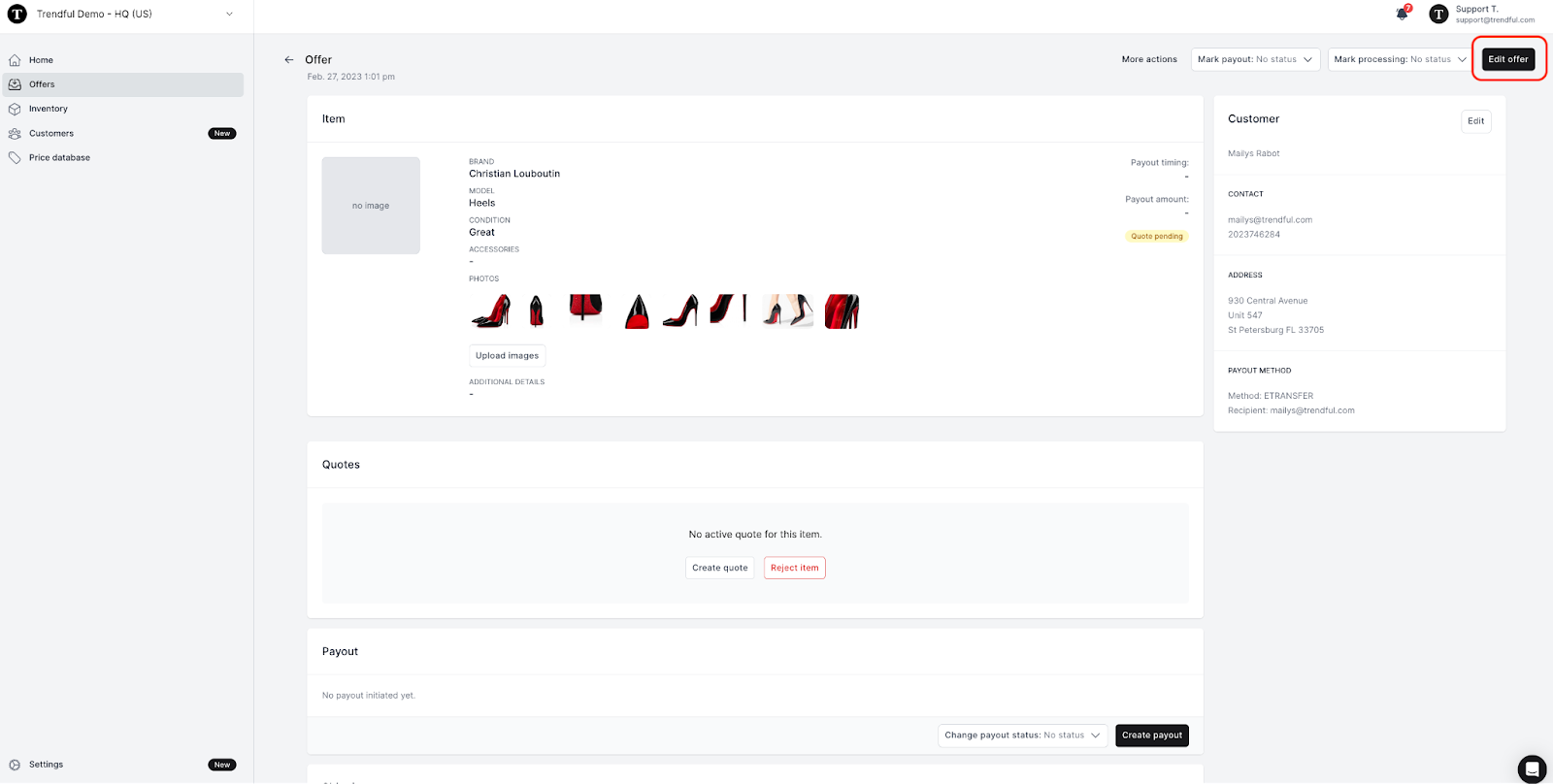
You or your team can edit the following information:
- Category, brand, model, style, size, condition, accessories, details, estimated resale value (see the image example below)
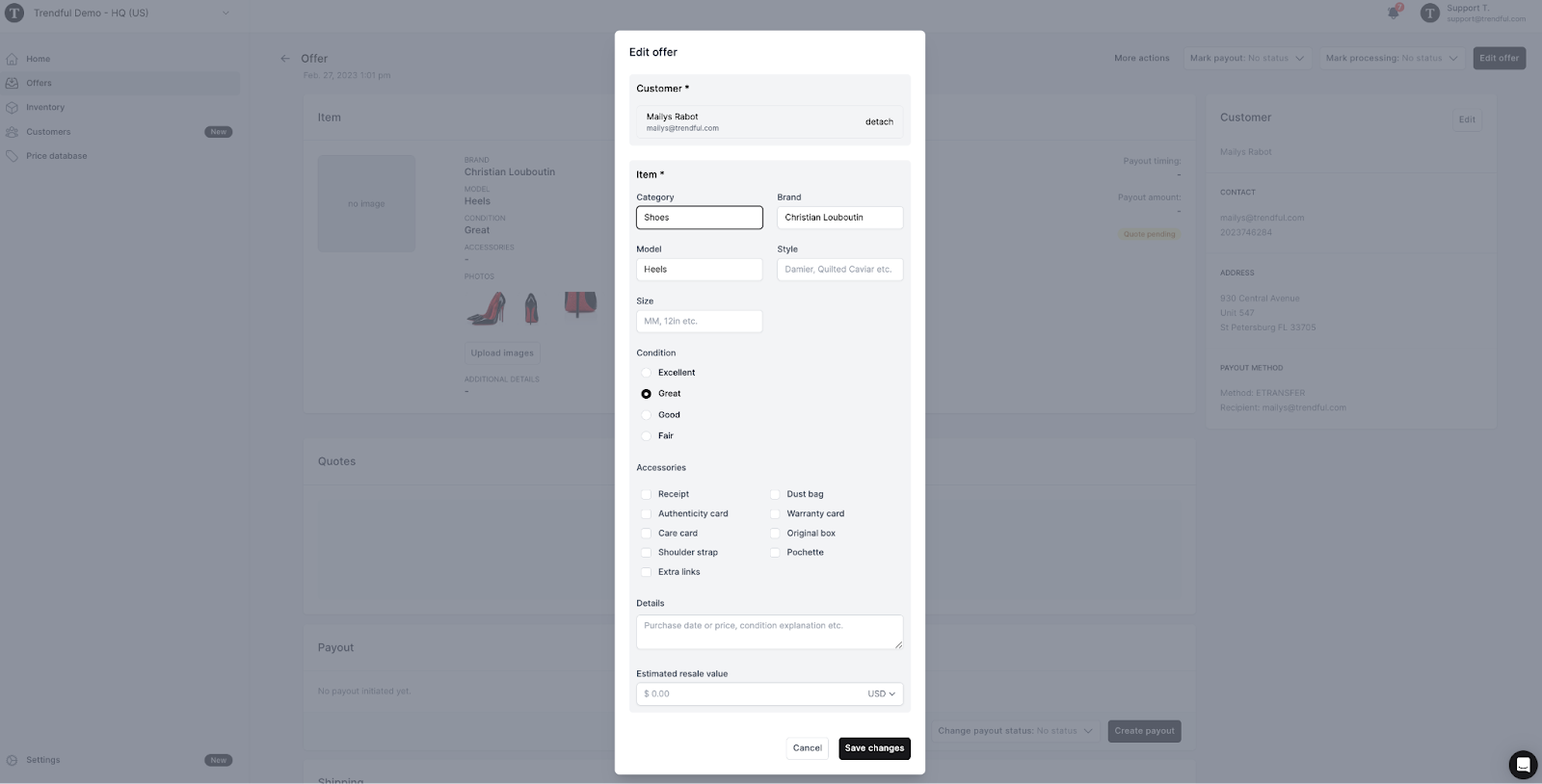
More about Offer Management System
Still stuck? Get in touch or browse all 144 answers.