What information is displayed when I click on a product from the overview page?
When you click on a product from the overview page, you will be directed to the product details page where you can view all the information related to the product, such as:
- Product brand, title and description This information are automatically populated if you add a product to your inventory from the Offer Management System
- SKU number and Certificate number
- Cost, listing price, and sale value
- Storage location
- Product pictures Once you have taken professional pictures of the product to be added to your website, you can upload them within the Inventory. If you list the product to Shopify, the pictures will automatically be added to your Shopify listing.
- Listing status which could be inactive, active, sold.
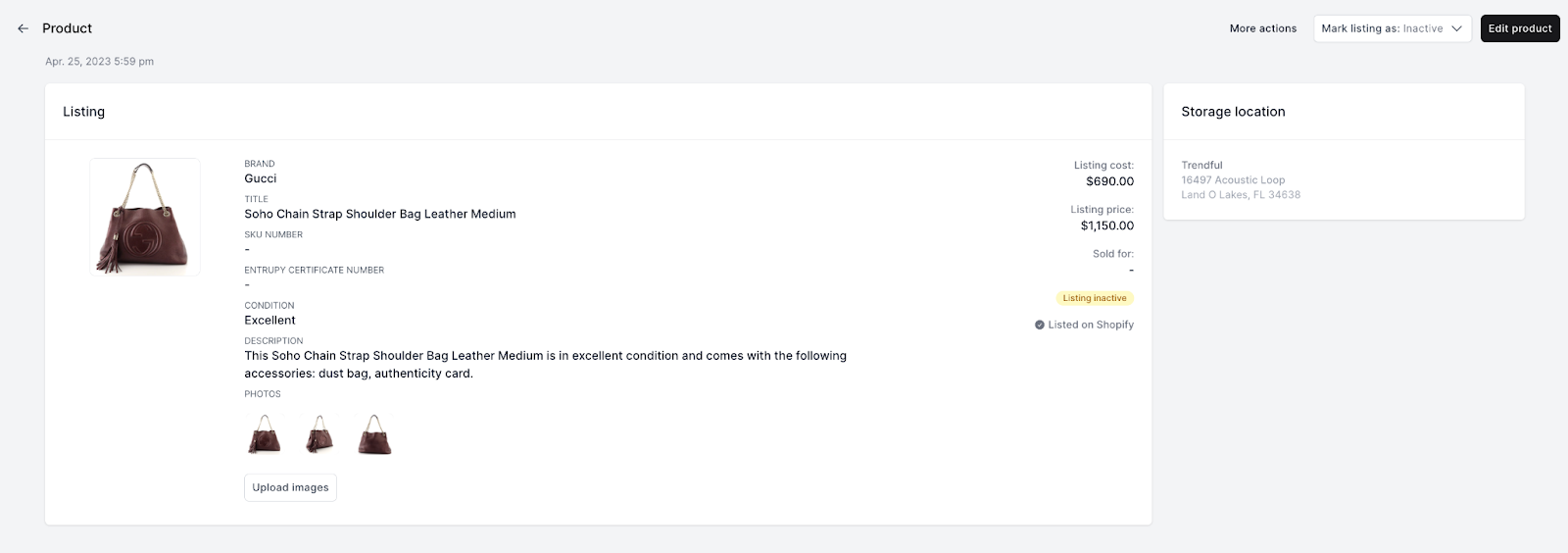 If you have listed the product on Shopify from the Inventory Management system, a badge indicating "Listed on Shopify" will be visible.
More about Inventory Management System
Still stuck? Get in touch or browse all 144 answers.