What information is displayed when I click on an offer from the overview page?
If you have chosen to have instant prices displayed on the resale app:
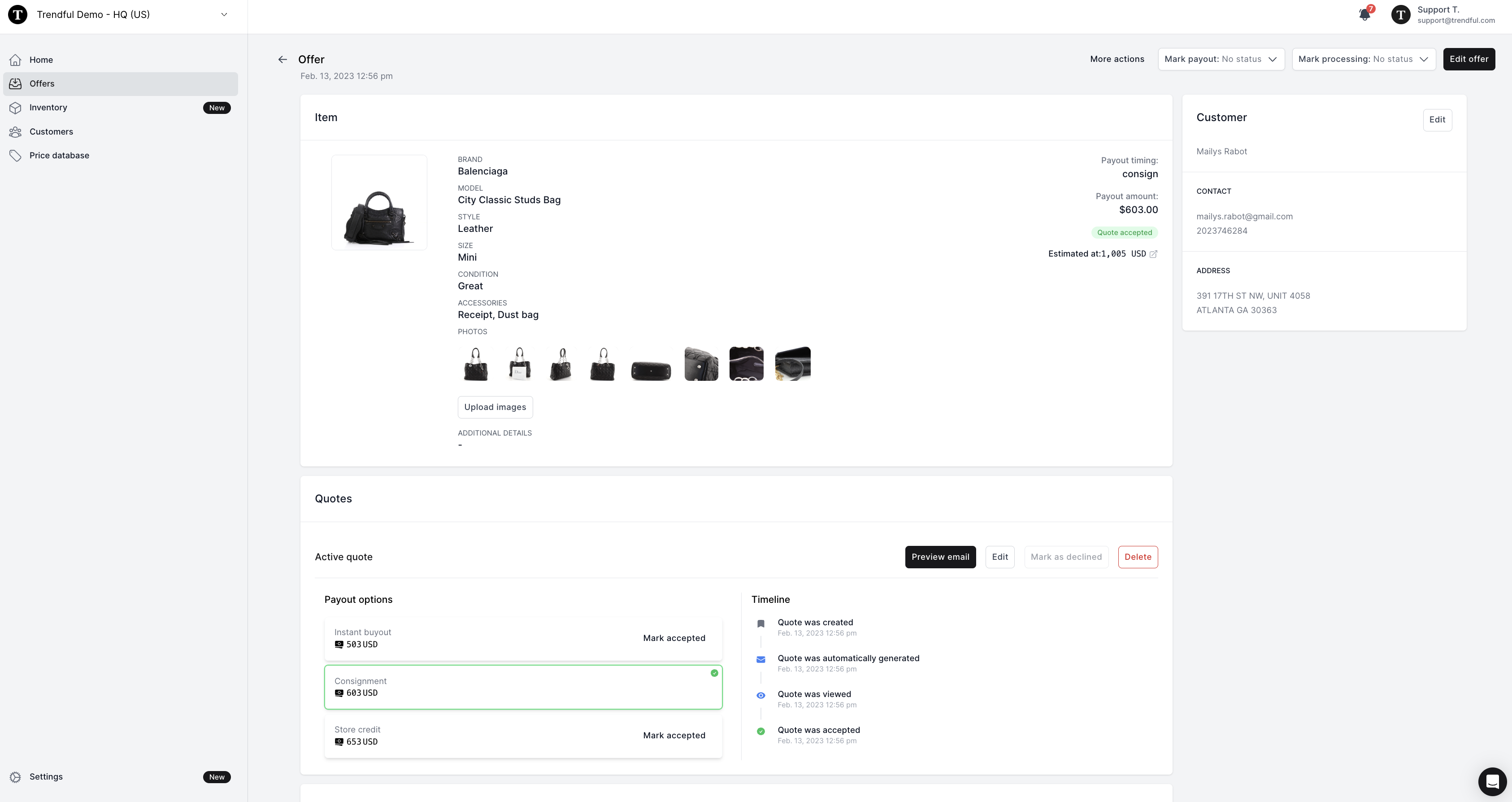
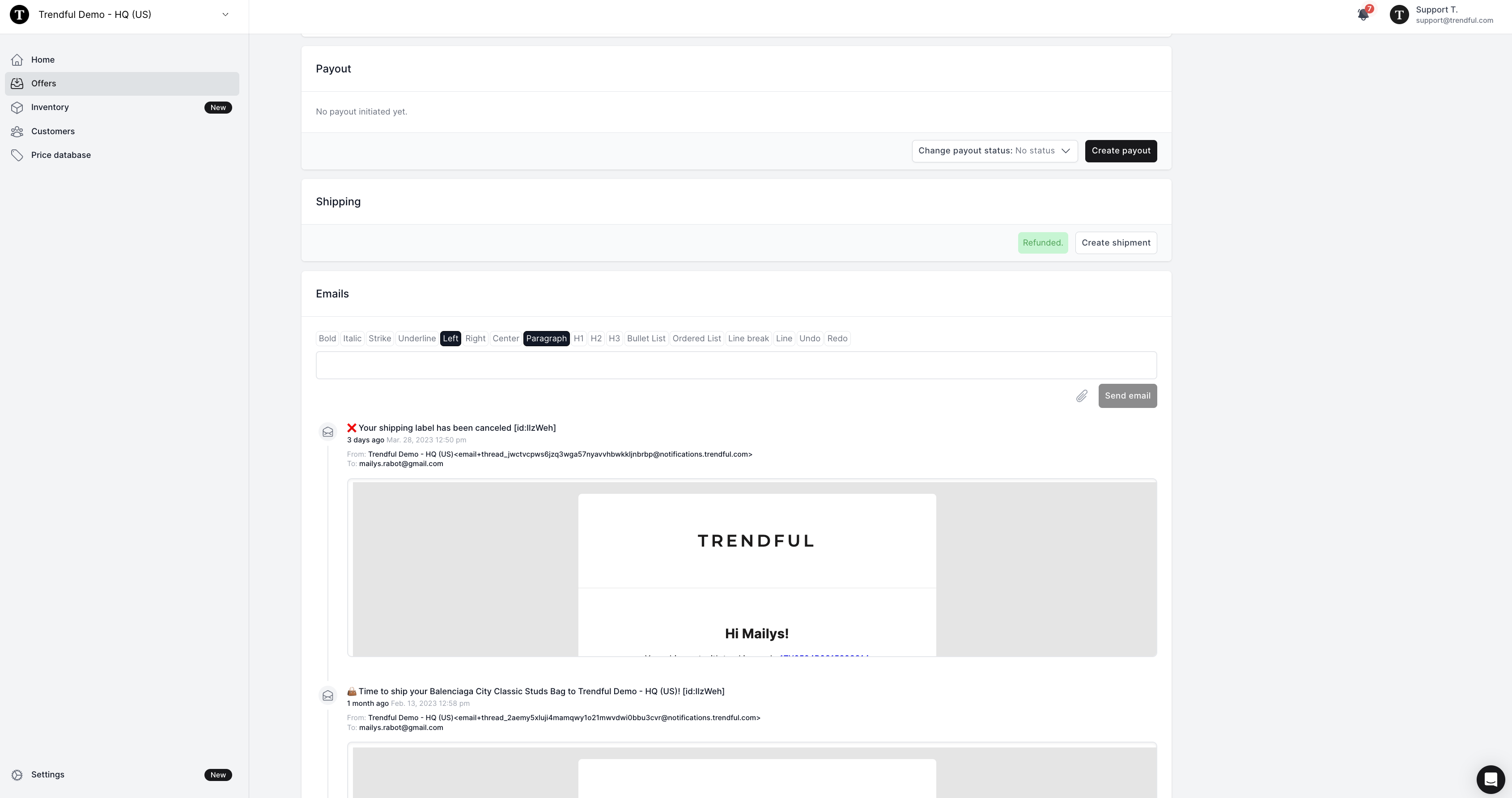
In this case, if you have chosen to have instant prices available on your resale app integration then you will have displayed:
- All of the item information (e.g. brand, model, style, size, condition, accessories)
- You will also have all the pictures your customers have uploaded
- You will have the payout timing, payout amount, and estimated resale value
As you continue to scroll down the page you will see:
- The quote the customer selected from your resale app
- The timeline of the quote
- You can also continue to edit or delete the quote even after your customer accepts it
- You will also see the payout section, the shipping label section (which once the item is shipped has a timeline that is updated), and email thread section
(see image examples above)
If you receive a manual quote from the resale app or draft an offer from your admin account:
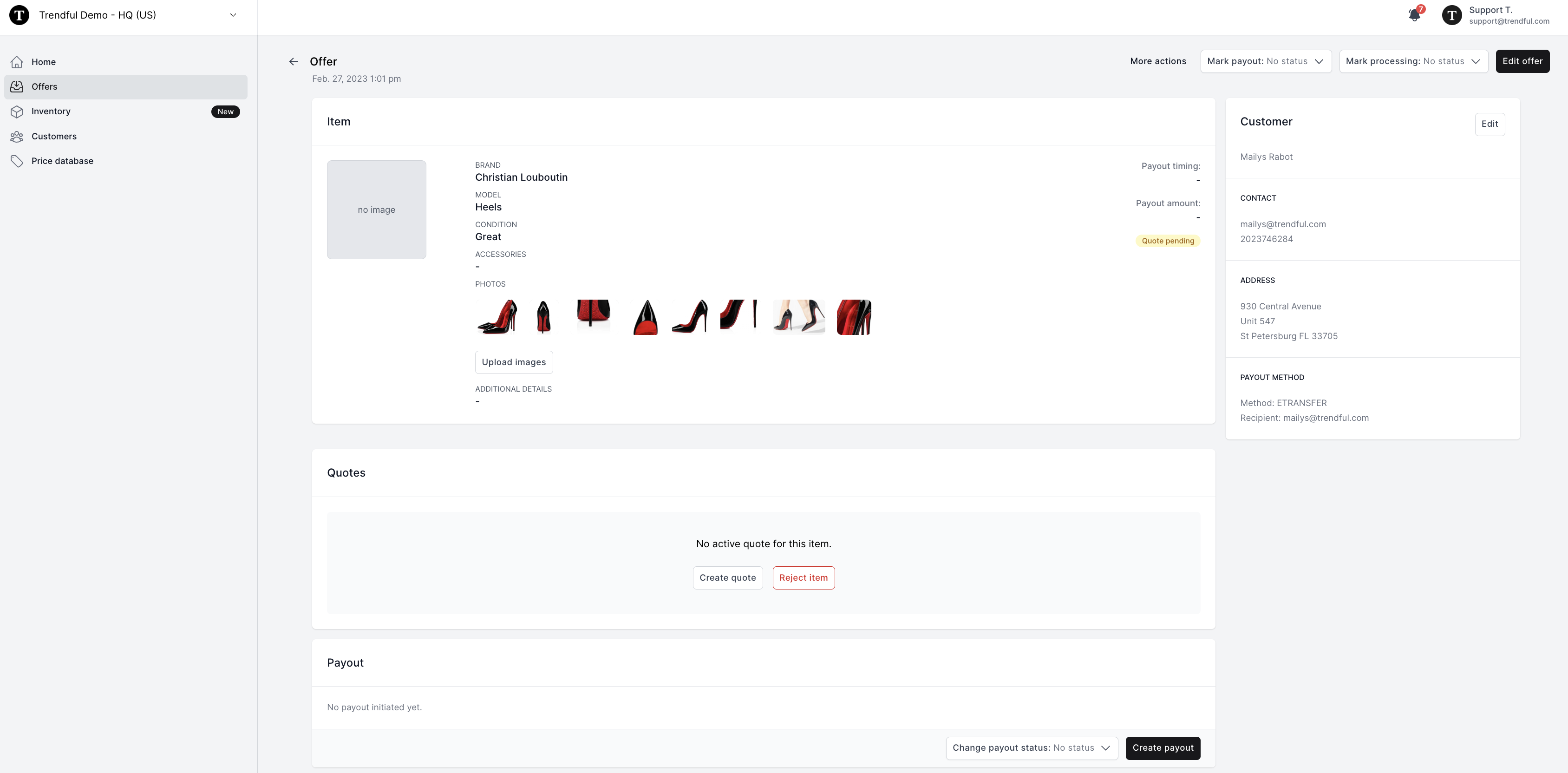
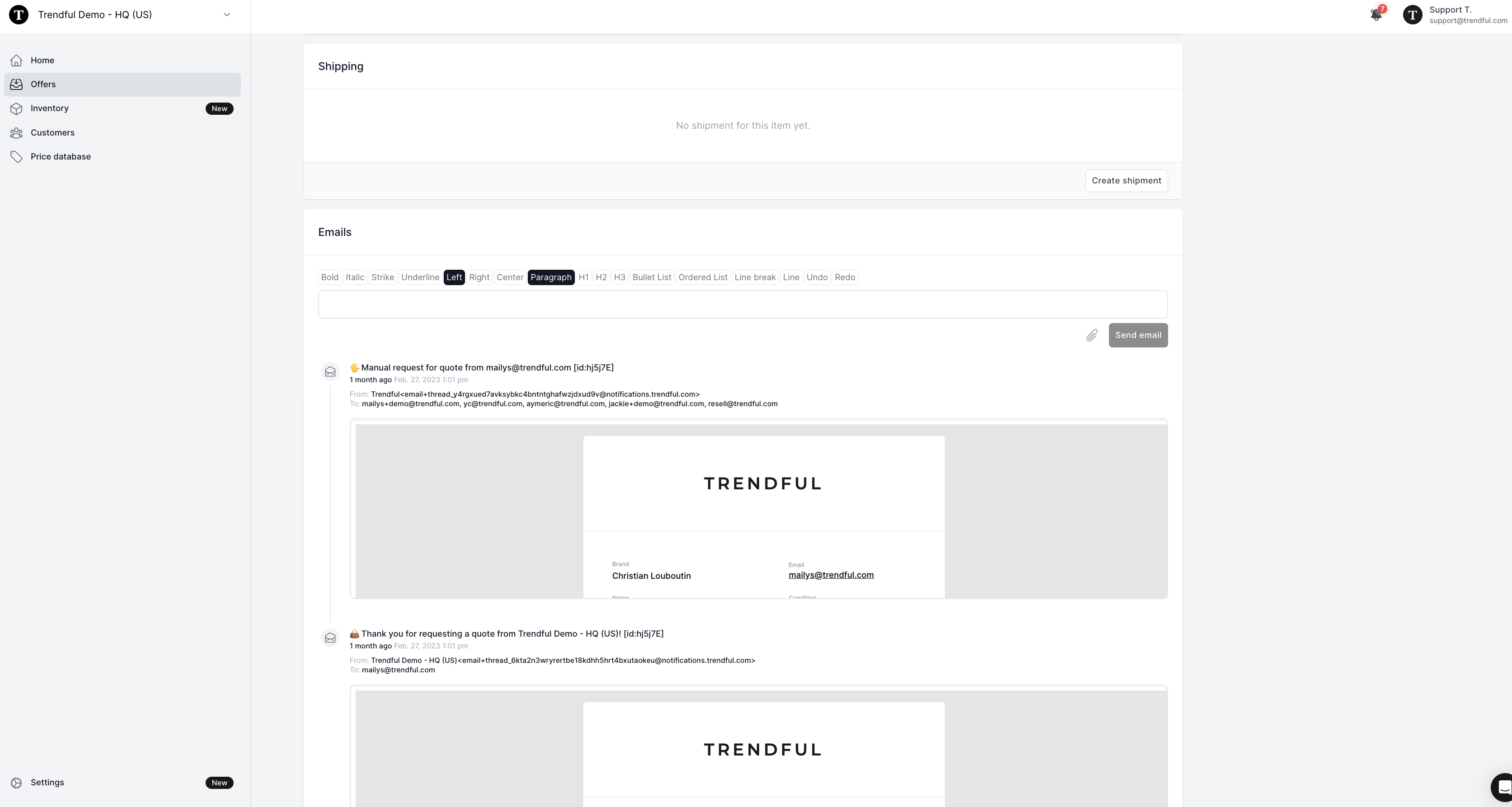 If you are looking at a manual quote from the resale app or one drafted directly from your admin account the information you will see is very similar to offers that have instant prices. (see image examples above)
More about Offer Management System
Still stuck? Get in touch or browse all 144 answers.