Where can I find an overview of my offers?
You can find your offers in your offer management section on your admin account. Simply click “Offers” to access your current offers.
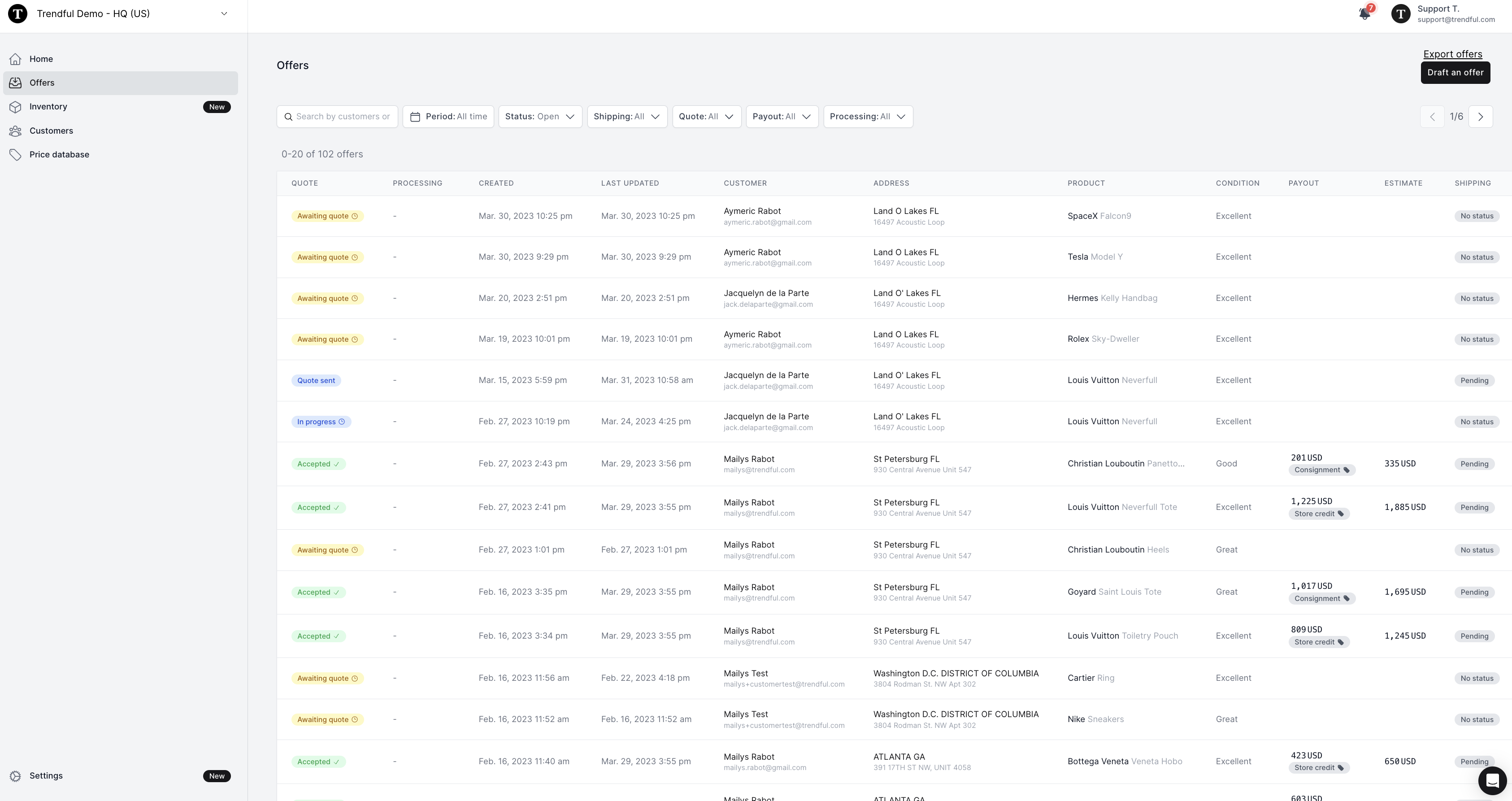
Once you click “Offers” you will be able to see an overview of all your current offers. The offers that appear here will either be synced from your Resale App or manually drafted by you and your team from the “Draft an offer” button.
Information that can be seen at first glance includes:
- Quote status
- Processing status
- Date created
- Date last updated
- Customer name
- Customer address
- Product
- Condition
- Payout amount
- Resale estimate
- Shipping status
Other actions you can take at the top of this overview page include:
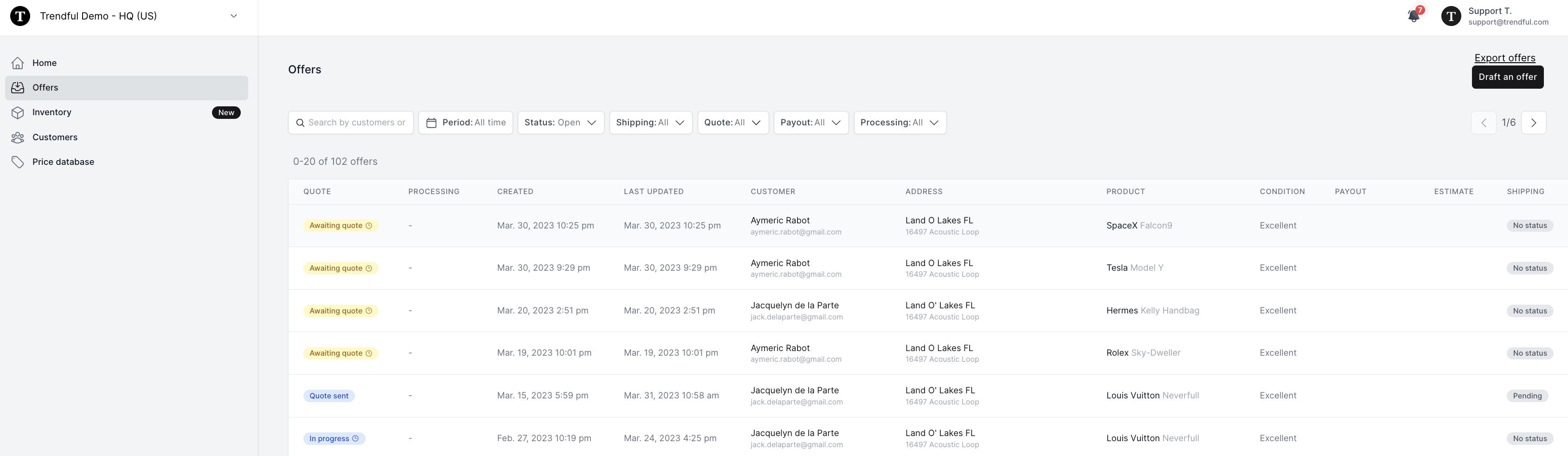
- You can click the button “Draft an offer” and manually create an offer for a product a customer is selling to you
- You can click “Export offers” and export all your offers in a CSV
- You can also search offers by customer name and tracking number
- You can filter by time period (last 7, 30, or 90 days)
- You can filter by status (open or archived)
- You can filter by shipping status
- You can also filter by quote status
- You can filter by payout status
- And, finally you can filter by processing status
More about Offer Management System
Still stuck? Get in touch or browse all 144 answers.