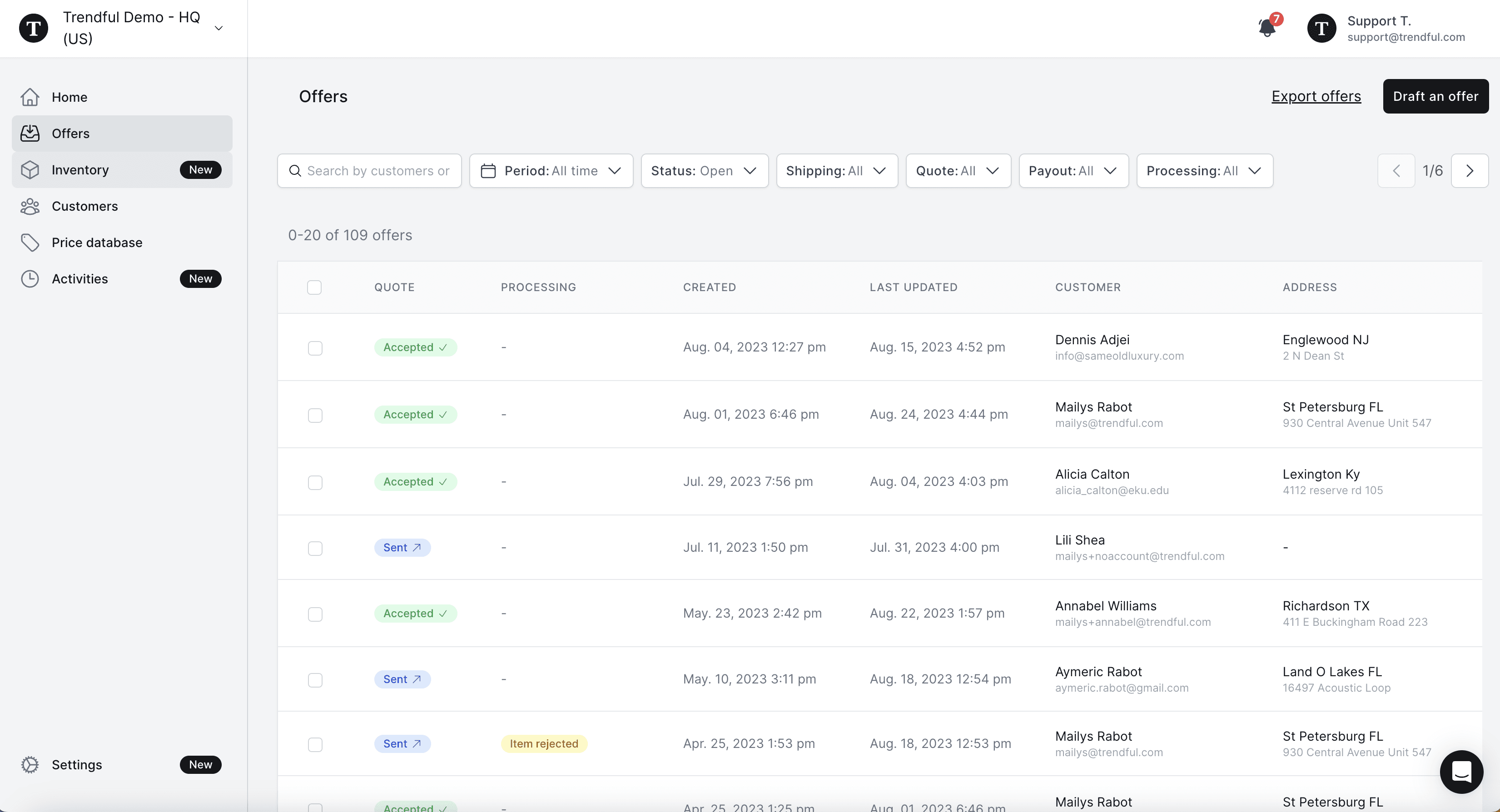
From accepted offer to listed product in one click
Turn any offer into a product with its details already filled in, list it to Shopify, and let Trendful mark it sold and tell your consignor. An add-on for Launch and Pro, included in Enterprise.
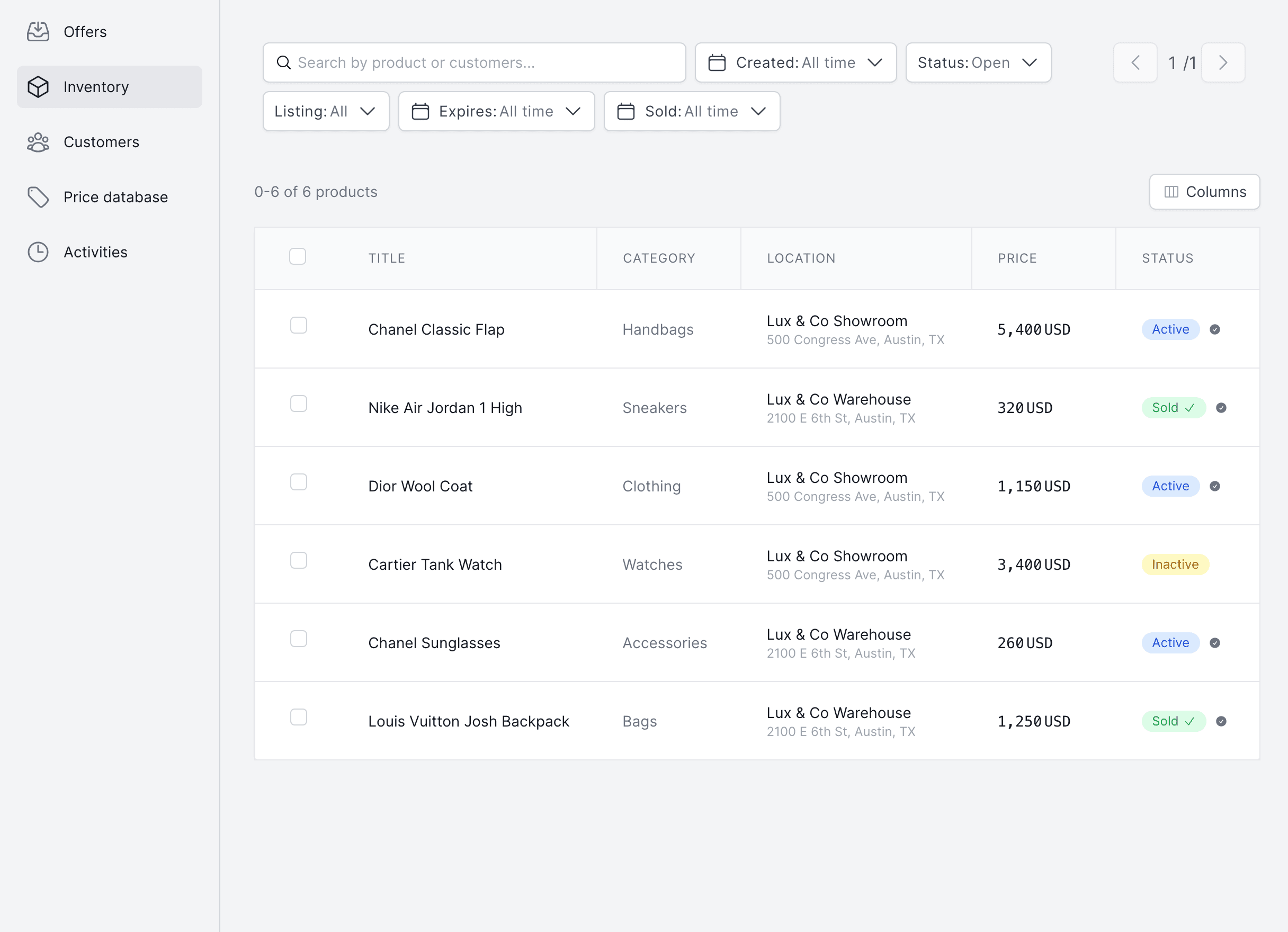
Know what you have, what it cost and where it is
Inventory picks up where the offer ends: the item you just bought or took on consignment becomes a product you can list, track and sell.
From offer to product
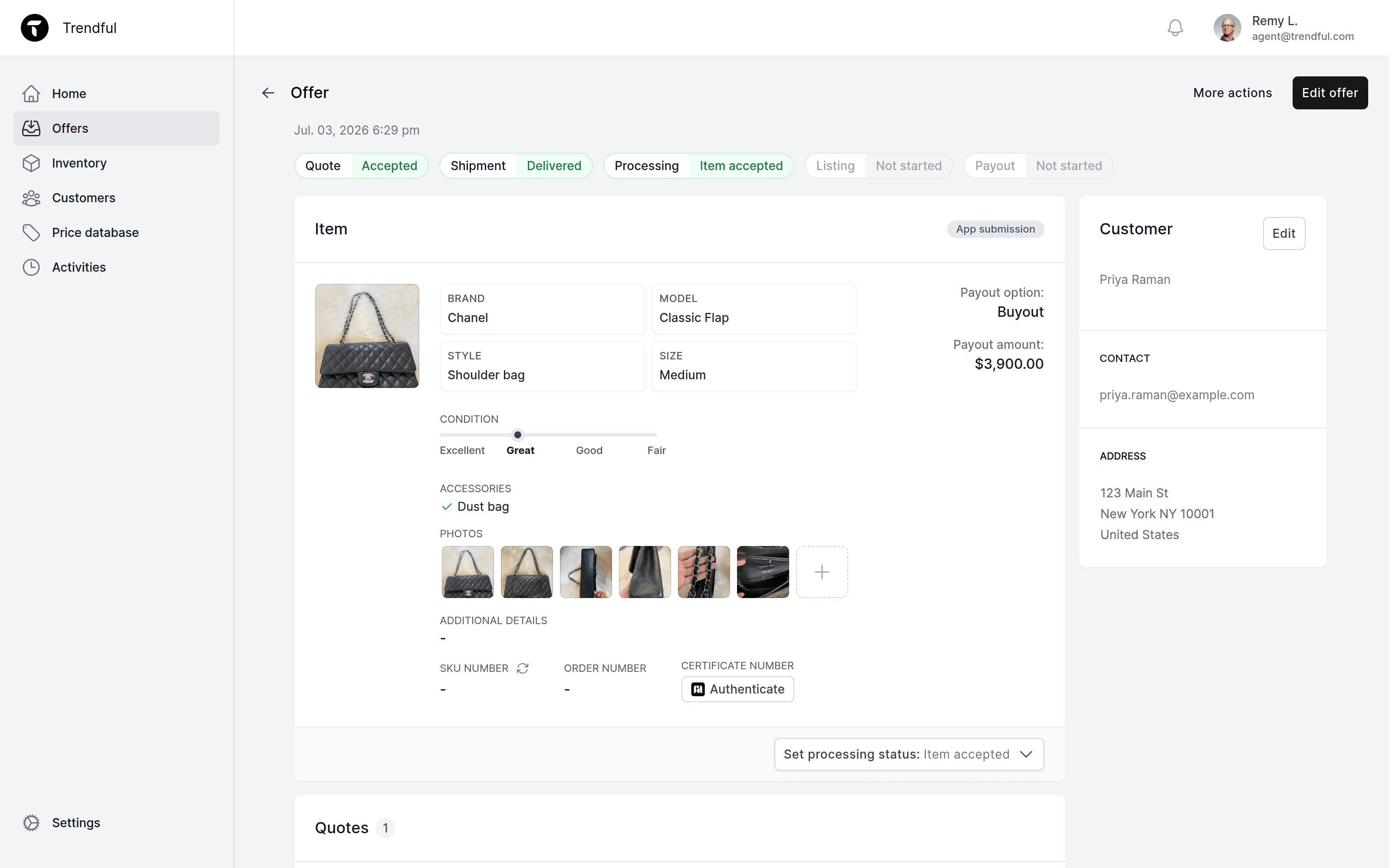
Add to inventory without retyping
One click on an offer creates the product, with what you already know filled in.
- Brand, category, title, size, color, condition and SKU carried over
- Cost taken from the payout you agreed, listing price from the estimated value
- Stays linked to the customer and to the original offer
- Turn several offers into products at once
- Add items you sourced elsewhere by hand
Product page
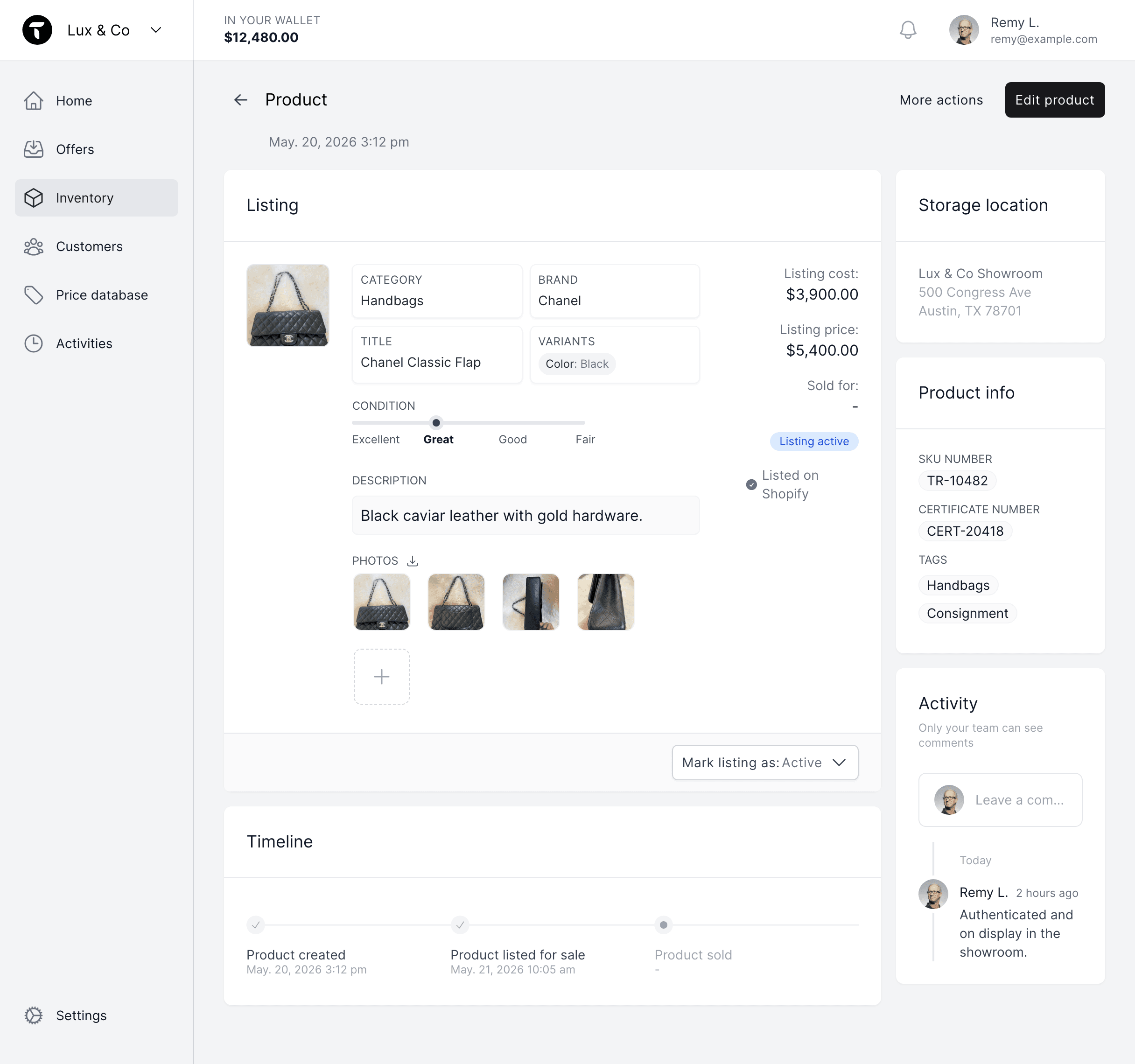
Cost, price, photos and place, on one page
Each product has its own page, so anyone on your team can see what it cost, where it is and whether it is listed.
- Cost, listing price and what it sold for
- SKU and certificate number, with SKUs generated for you if you like
- Photos you can reorder and download together
- Which of your locations it is stored at
- Tags, an expiry date and team notes
Shopify
List to Shopify in one click
Send a product to your Shopify store with its photos, price and details. It arrives as a draft so you can review it, or live if you prefer.
- Title, description, photos, price, SKU, options and tags sent for you
- The status in Trendful follows Shopify: draft, active, sold
- When it sells, the product is marked sold with its sale price
- Link a product you already have on Shopify
- List many products in one go
- DraftInactive
- ActiveActive
- Sold outSoldwith the sale price
Sample statuses. Title, brand, category, options, SKU and description changes made in Shopify are copied back too.
Consignment
Your consignor hears about the sale without you writing
When a consigned item sells, Trendful emails the consignor that evening and reminds you the payout is due.
- A “your item has sold” email, sent for you
- An optional email when the item goes on sale
- The payout shows as due on the schedule you set
- You send the payout from the offer, as you do today
To: priya.raman@example.com
🎉 Your Chanel Classic Flap has sold
Lux & Co
Hi Priya!
🎉 Congratulations, your item has been sold! You will receive your payout very soon.
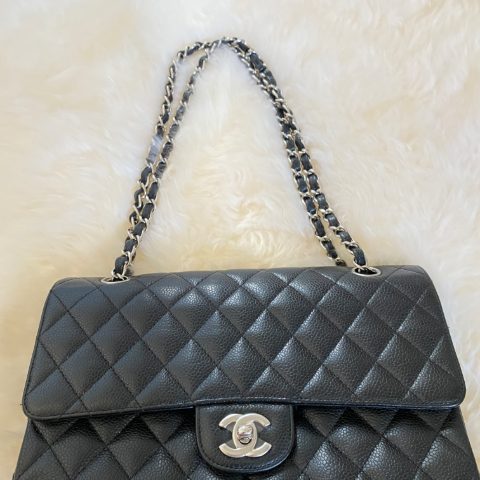
Chanel
Classic Flap
Good condition
Thank you for your business!
Sell againPayout due
Priya Raman · Chanel Classic Flap
The email your consignor receives, with your logo, colors and next steps, and the payout reminder in your Admin.
Runs on its own
One item, from your counter to your store
Here is a consigned item from the accepted offer to the payout, with the part that needs a person and the part that does not.
- 1
Offer accepted
You: click “Add to inventory”.
- Product created with its details filled in
- Cost and listing price set from the offer
- Linked to the customer and the offer
- 2
Listing
You: add photos and list it on Shopify.
- Listing created on Shopify with photos, price and SKU
- Status kept in step with Shopify
- 3
Sale
A shopper: buys it on your store.
- Product marked sold with its sale price
- Consignor emailed that evening
- Payout shown as due on your schedule
- 4
Payout
You: send the payout from the offer.
- Payout sent once the customer’s details are verified
Done by Trendful, with no click from you. Changes you make in Trendful after listing are not pushed to Shopify, and price changes made in Shopify are not copied back.
An add-on, when you are ready for it
$150 per month on the Launch and Pro plans. Included in Enterprise, which also adds importing products from a spreadsheet.
Start buying from your customers today.
Everything you need to take in items, make offers, and resell. Running on day one, scaling when you are.