September updates, part one: you decide what customers can submit, and offers get answered faster

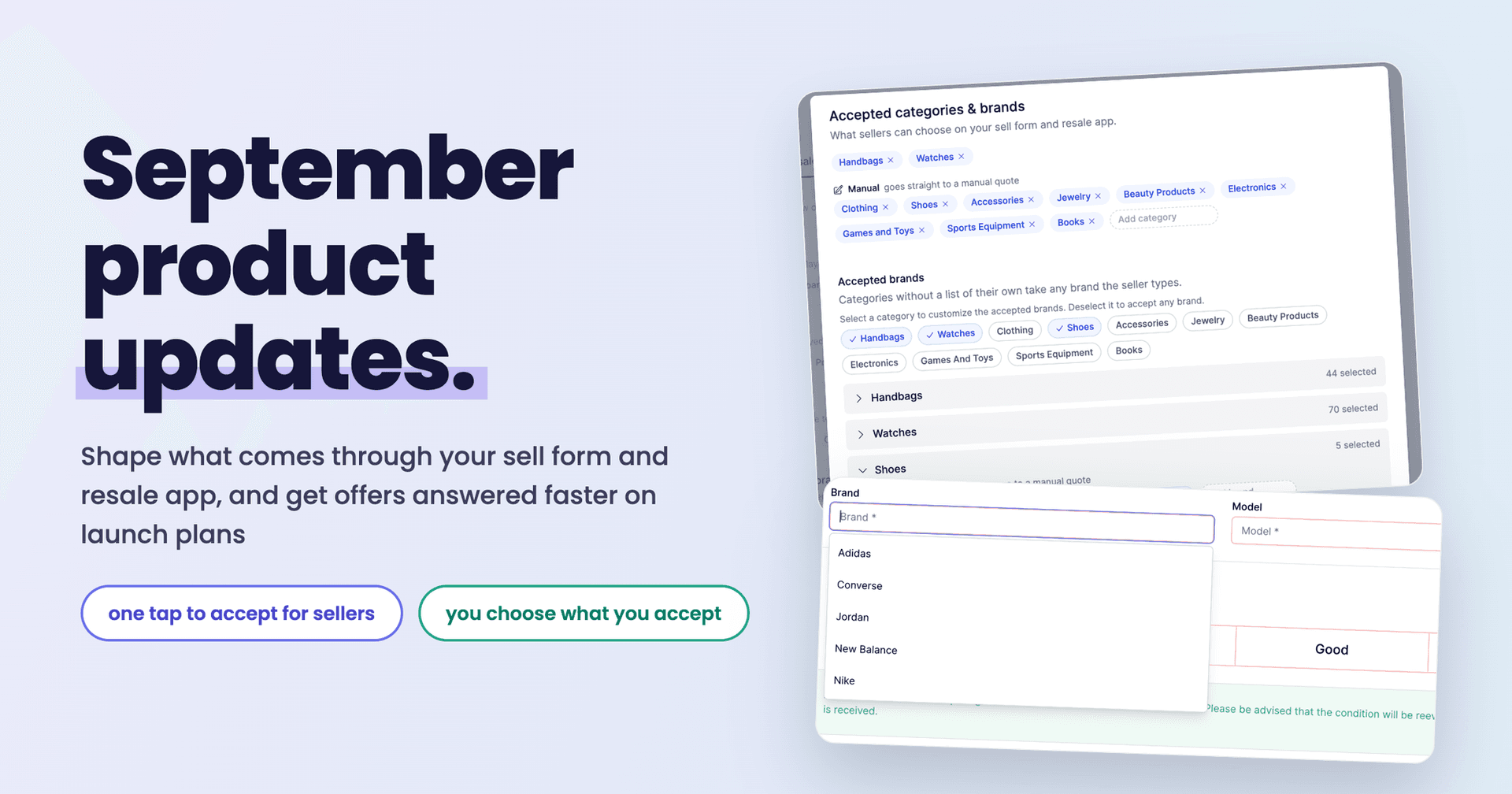
Here is what shipped in September. Two themes: you have far more control over what customers can submit and what you ask of them, and if you are on the Launch plan your customers can answer an offer without waiting on anyone.
A clear view of the categories and brands you accept
Everything in this section lives in Settings > Preferences, and none of it is tied to one surface: what you set here applies on your sell form and in the resale app alike. It answers a question that used to take guesswork: what can a customer actually choose right now?
Start with the Accepted categories and brands panel.
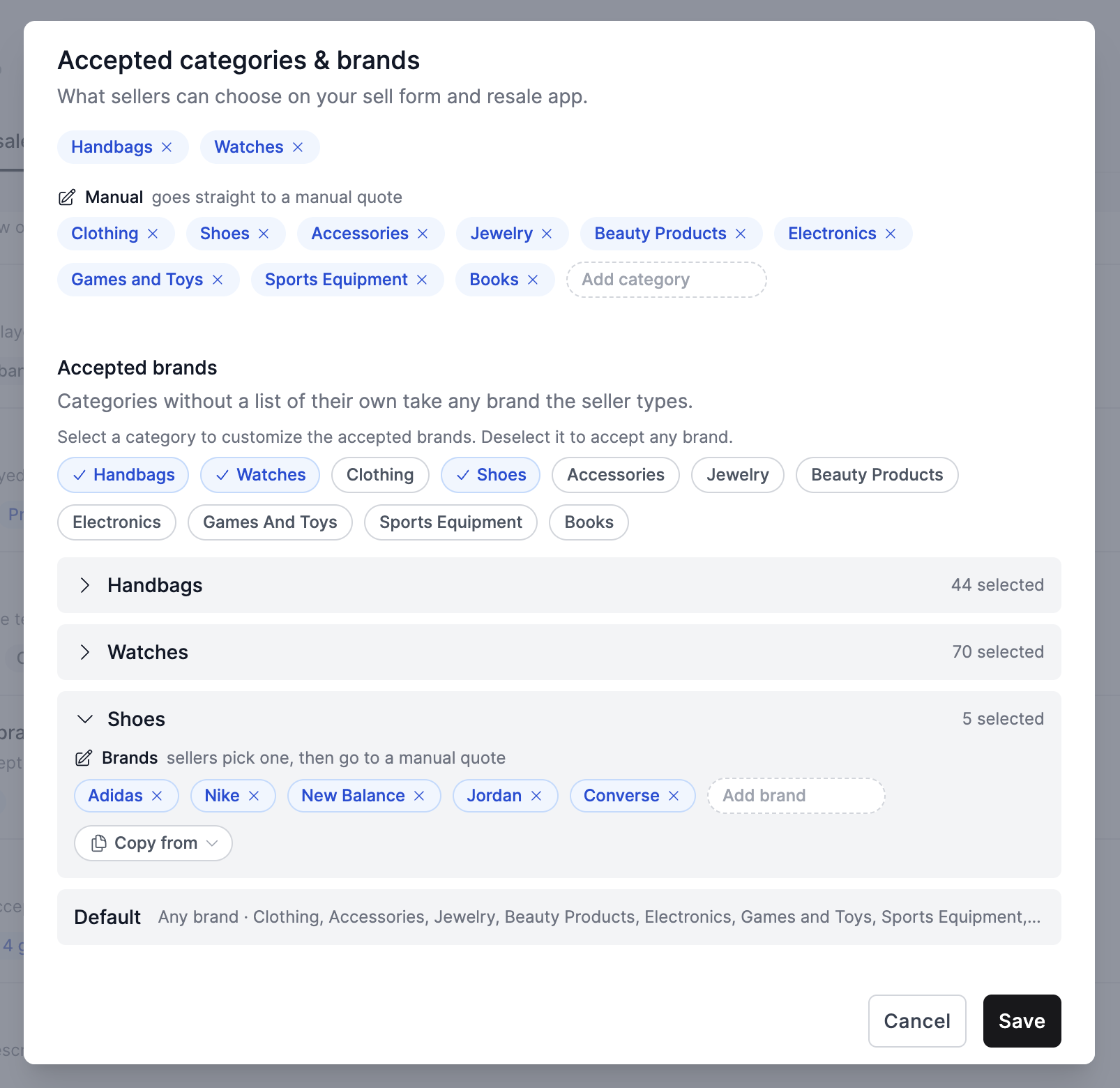
Everything is on one screen:
- Categories customers can pick from, added or removed in a click. If you take something our catalog does not cover, type it in and it becomes a category of its own.
- Manual categories, which skip the instant price and go straight to a manual quote.
- Accepted brands per category, with a count beside each so you can see at a glance that Handbags has 44 brands and Shoes has 5.
- Copy from, so a brand list you have already built can be reused on another category instead of typed again.
Brand lists are not limited to our catalog either. Every category gets one, manual categories included, and any brand you type sits in the list beside the ones we carry. A category we do not price, filled with brands we have never heard of, still gives your customers a list to pick from rather than a blank field, so they choose the name you use instead of a spelling of it you have to recognise later.
Categories without a list of their own accept any brand the customer types, so you can curate the categories that matter to you and leave the rest open.
What your customers see
Whatever you set here shows up on the customer side, in both places. In the guided flow, your curated brands appear as the list they choose from. On the manual quote form, they appear as a searchable dropdown.
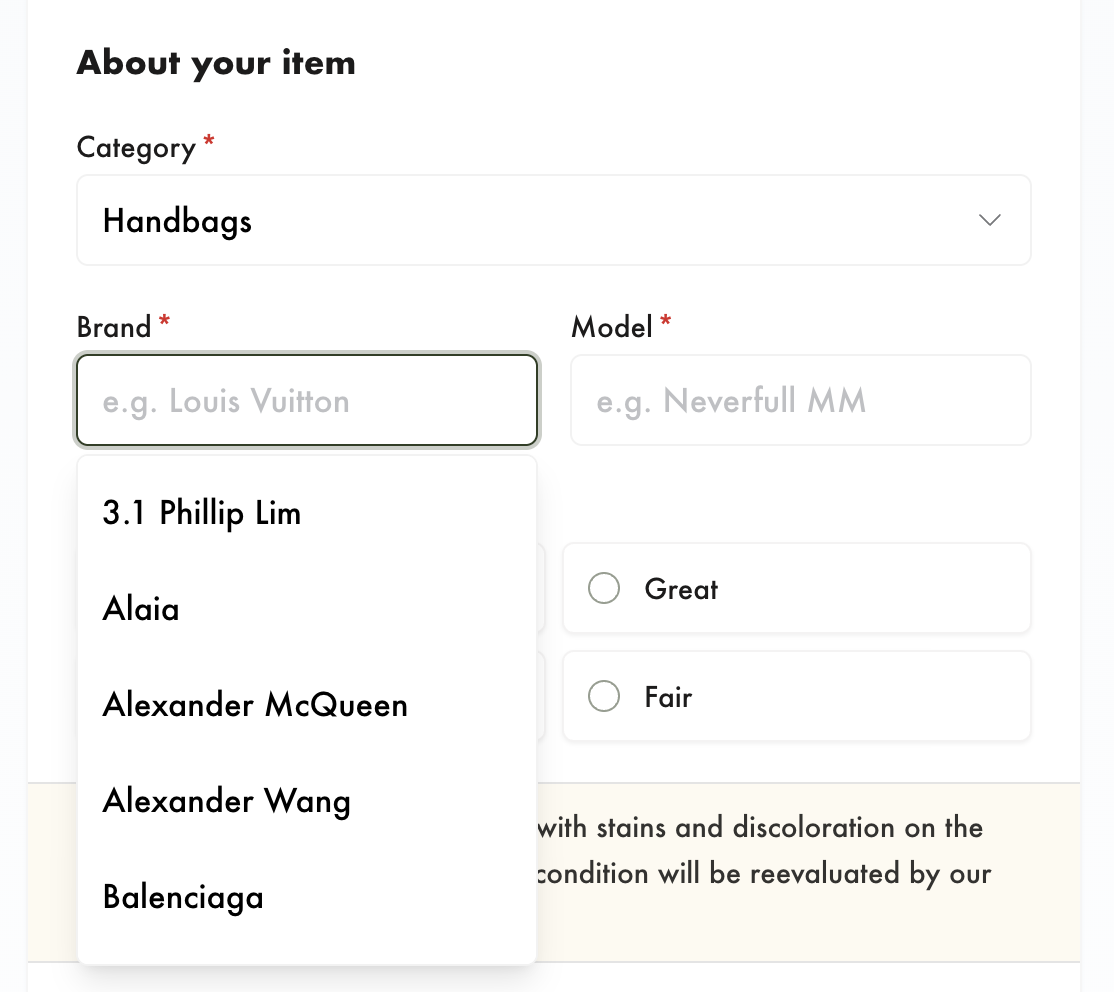
Your list is a shortcut, not a gate. A customer can still type a brand that is not on it, and the submission comes through as normal. That matters while you are still building your list out, because nothing gets turned away just because you have not added a brand yet.
Condition and photo guidance, per category
Two more panels in Settings > Preferences used to apply one set of wording to everything. Both are now per category, so a watch and a handbag can ask for different things, and again both follow the customer wherever they submit.
Accepted conditions sets which grades a category offers and what each one means in your words. You can also attach an example photo to a grade, which the customer sees when they pick it, so "Good" stops being a matter of opinion.
Photo labels names each tile with the shot you actually want. For watches that might be front case, back case, dial detail, bezel detail, bracelet and clasp. For handbags it will be something else entirely. Tiles you leave unlabelled just read "Add photo".
Any category you have not customised falls back to your defaults, so you can start with the categories where a bad submission costs you the most and leave the rest alone. The payoff is fewer items arriving with the wrong photos, or a condition the customer judged by a different yardstick than you would.
Launch plan: answering an offer no longer needs an account
This one lands only if you are on the Launch plan, and it closes a gap rather than adding something new.
If you are on Pro or Enterprise, your customers already accept or decline in a tap. They sign in to the resale app, see every open offer in one place, answer them there, and create their own shipping labels. None of that changes.
The Launch plan has no resale app and no customer accounts, so an offer could only be answered by replying to the email. The customer wrote back in their own words, someone on your team read it, worked out which payout option they meant, and recorded the decision by hand. That is slow on both sides, and the meaning is not always obvious.
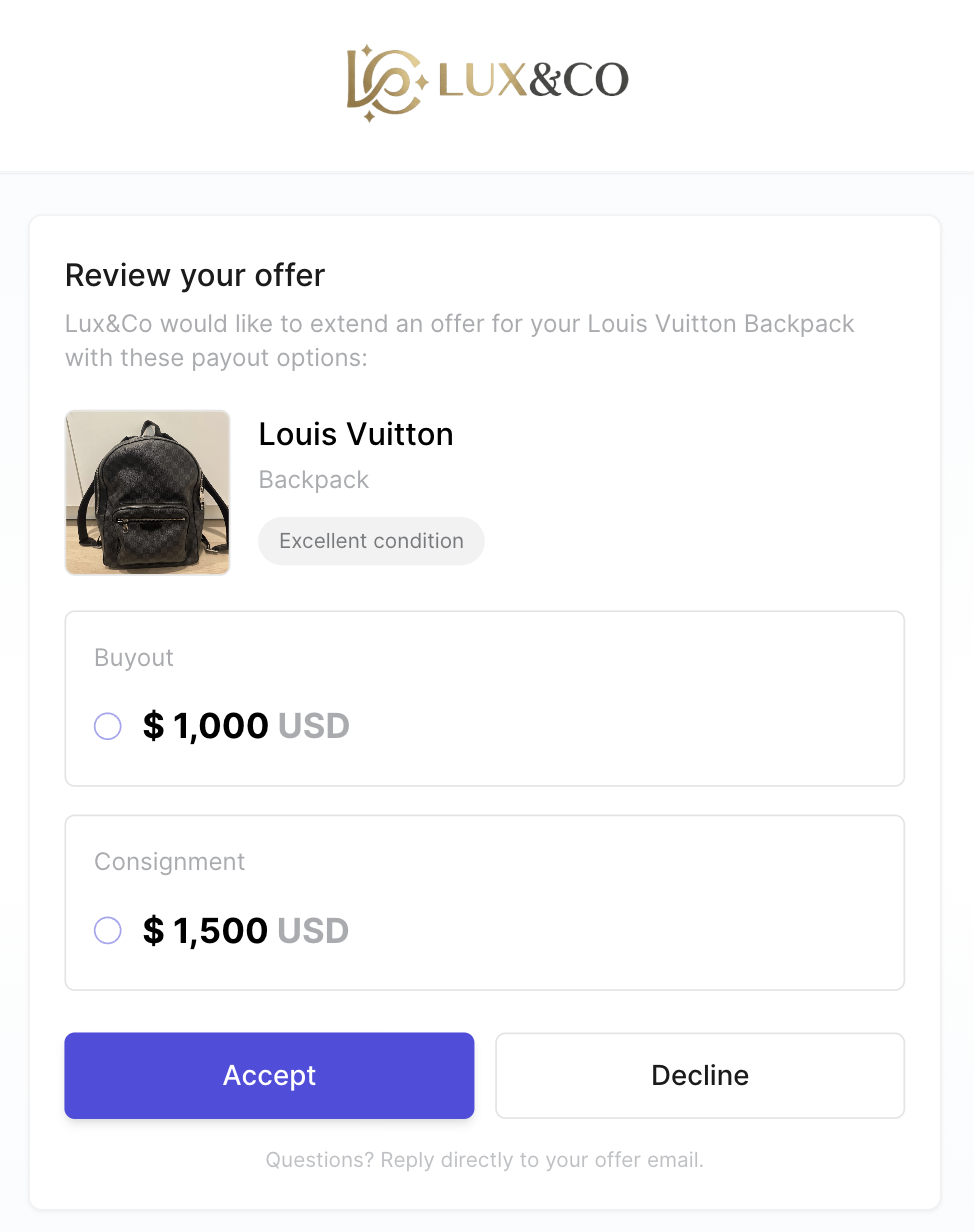
Now, on Launch, every offer email carries a Review your offer button. It opens a page showing the item, its photos, the condition the customer picked, and the payout options you offered. The customer taps the one they want and accepts or declines. No account, no password, no app to install.
The decision lands in your admin immediately, with the payout option they chose already recorded and the timeline showing when they opened the offer and when they answered. No transcribing, no guessing.
A few things worth knowing:
- Each offer is answered on its own. This is the one real difference from the resale app, where a customer sees all their offers together: on Launch a customer with three open offers gets three emails and three links, one per item. Reminder emails carry the same link for each item, so nothing gets crossed.
- Customers accept and decline from the email link. Creating the shipping label stays with you, in your admin, the same way you do it today.
- The link keeps working if you resend the offer, so a customer who comes back to an older email still lands in the right place.
- Once an offer is accepted, declined or expired, the page says so plainly instead of letting someone act twice.
If you are on Pro or Enterprise, your offer emails are exactly as they were.
Stronger protection against automated traffic
Your sell form and resale app now sit behind the same human check, and it runs once per visit rather than at every step. A customer searching your catalog, creating an account and submitting an item passes one check, not three.
For you, that means the submissions and accounts you see are far more likely to be real people. For your customers, it is close to invisible: the check sizes and themes itself to your storefront, and disappears once it is solved.
Smaller things you will notice
- Reminders on your own schedule. Reminders used to go out on a single day. You can now set up to five, anywhere from 1 to 90 days after the offer, for example a first nudge at day 3 and a last one at day 14. A reminder covering several offers gives each item its own button.
- Emails read better on a phone. Spacing and layout were tightened across the reminder and offer emails. Next steps already followed the wording you set, and that wording is now far easier to find and edit in your preferences.
- Settings saves are clearer. The save bar tells you what changed and which tab it belongs to, and it now notices when you remove something rather than only when you add.
- Photo requirements behave sensibly. If you have not set a minimum, customers are asked for one photo rather than an arbitrary number, and every empty tile is labelled so customers know what to add.
- Shipping address collection works on every plan and is on by default. Turn it off in your preferences if customers drop items at your store, or if you want a shorter form for first-time customers. You can always ask for the address after you accept the item.
- Speed and stability. A round of performance work across the sell form, the resale app and the admin means pages load faster and the mobile upload flow is smoother, particularly on slower connections.
What is next
Two things are in progress. Image recognition is coming to the resale app, so a customer's photos do more of the work of identifying an item. And we are looking at capturing the reason behind a decision: why a customer declined an offer, and why an item was not accepted, so you can see the pattern rather than guess at it. If there is something you would find useful, reply to this post or message us in the app. Most of what shipped this month started as a merchant telling us what was slow.
Keep reading
- September updates, part two: photo recognition for handbags, and every offer shows its deadline
Customers listing a handbag in your resale app can now start with a photo and pick their bag from ranked matches. Offers and shipping…
- Introducing the sell form on Launch: intake without a website
Launch plan merchants can share a link to a custom sell form so customers submit items without needing the merchant’s site. Submissions…
- The Catalog API is moving to Price Hero — and v3 is here
We've launched Price Hero, a dedicated platform for the Catalog API. Here's what's new: v3 endpoints, a self-serve developer portal, a…