September updates, part two: photo recognition for handbags, and every offer shows its deadline

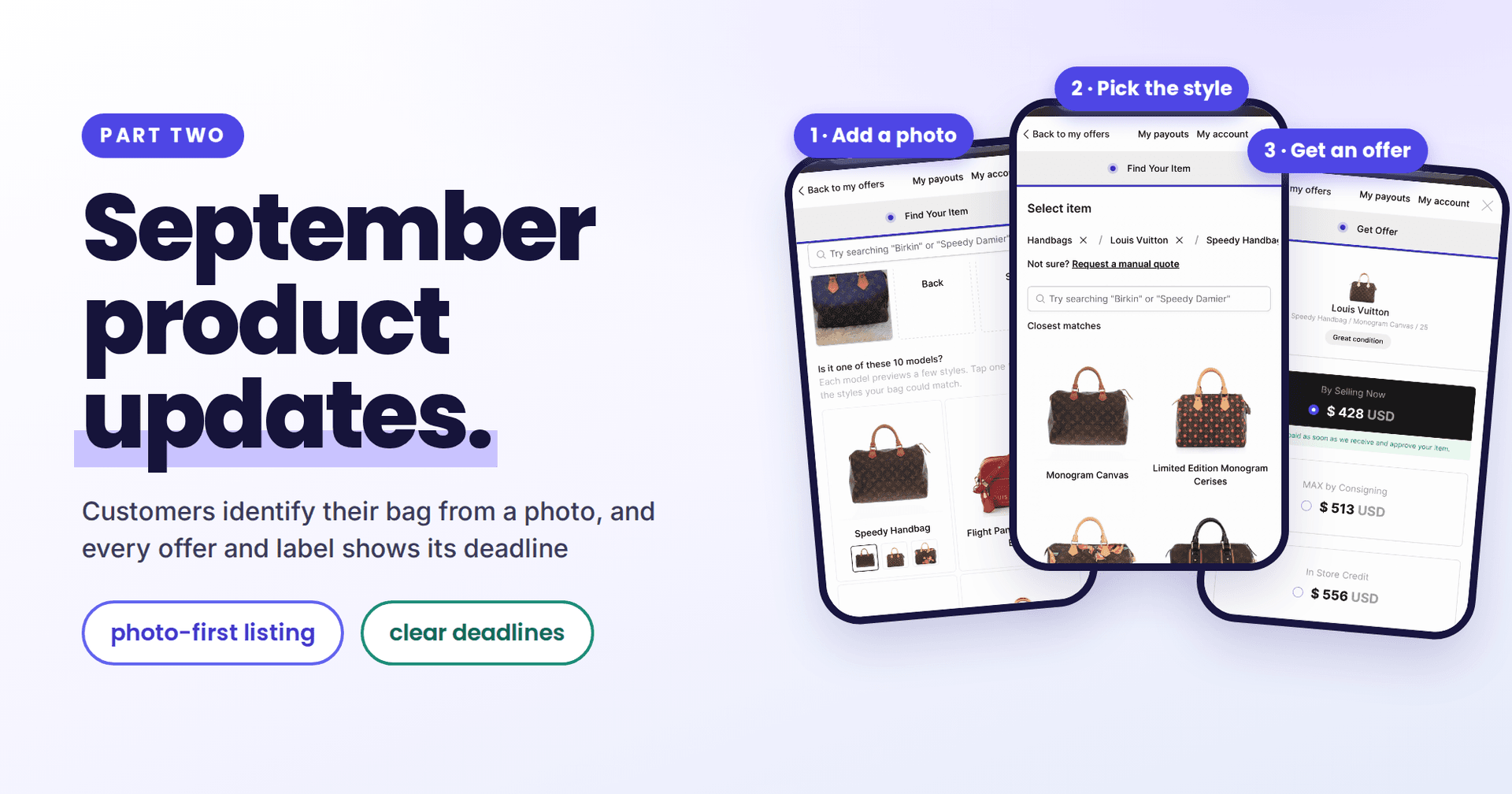
September was busy enough for two posts. The first one covered curating the categories and brands you accept. This one covers the second half of the month, and it starts with the feature we teased at the end of that post: image recognition is live in the resale app.
Three themes this time: customers identify their bag from a photo, everyone can see when an offer or label expires, and your shipments are easier to find and understand.
Photo recognition: customers snap their bag, we suggest the match
Ask a customer what model their bag is and you will often get "the brown one with the logo". Plenty of people selling a bag do not know its exact model name, let alone the style, and a long brand grid followed by a long model list is where many of them give up or fall back to a manual quote. Someone on your team then does the matching by hand.
Now, when a customer lists a handbag in your resale app, they can start with a photo instead.
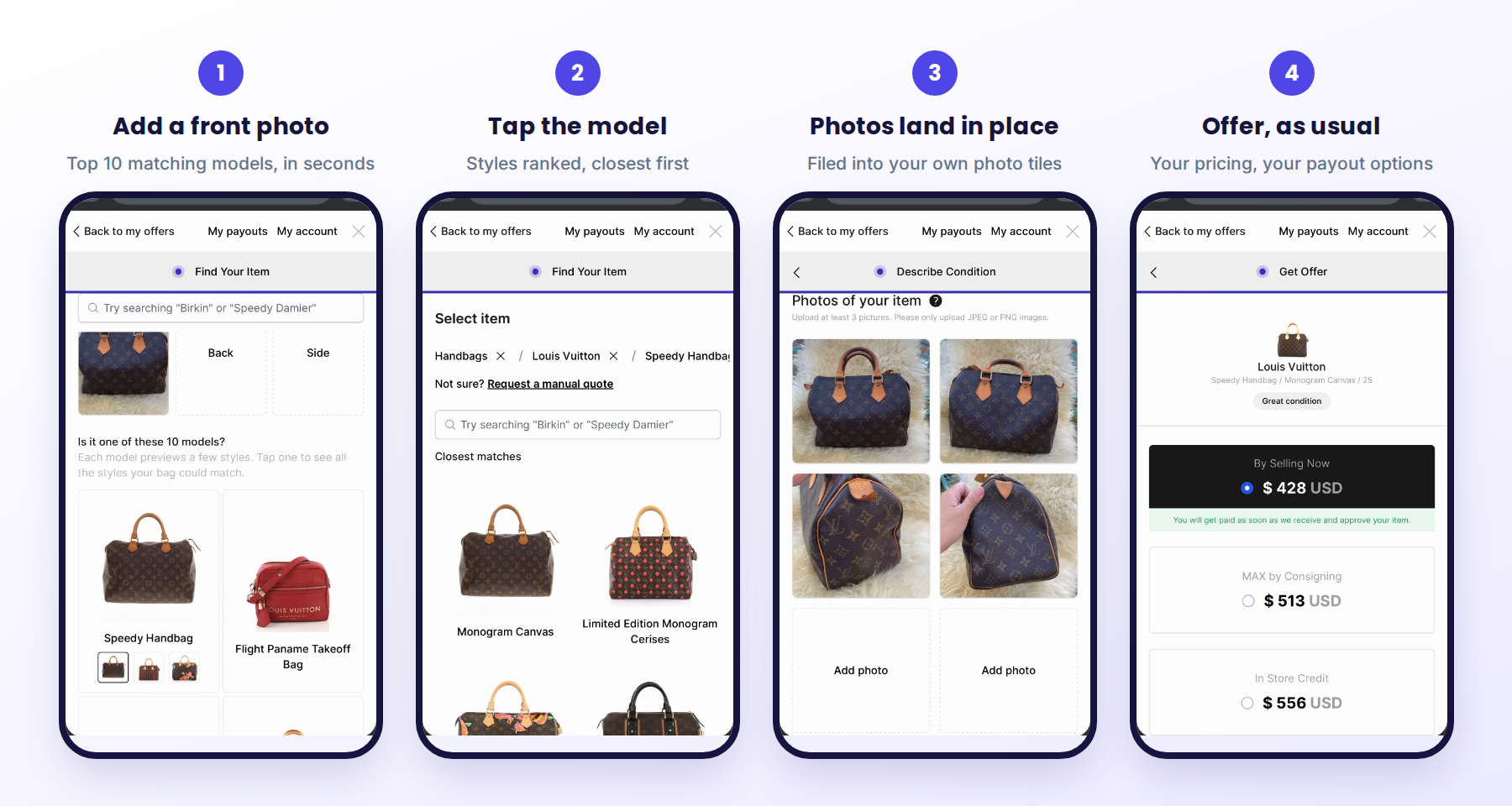
Here is how it works:
- The customer adds a front photo. Within seconds they see the 10 models it most likely matches, each with a small preview of its styles. Adding the back and side photos helps rank the styles in the next step.
- If the shortlist spans several brands, they are asked which brand it is, so the list narrows to the right house instead of guessing across all of them.
- They tap a model and see its styles ranked from all their photos, closest match first, then pick the size or variant as they do today.
- Their photos land in the right place. The front, back and side shots are filed into your own labelled photo tiles on the condition step, so nobody uploads the same picture twice.
- The offer follows your rules. From there it is the flow your customers already know: condition, your pricing, your payout options.
Recognition covers nearly 13,000 handbag models and more than 23,000 styles across 43 brands, and it respects your store. It only suggests brands you accept, so a store that does not buy a given brand will never see it suggested. If the customer's bag is not in the list, "My style isn't here" and "Request a manual quote" are always one tap away, and the photos they already took come with them to the manual form.
The result is more submissions that arrive already matched to the right catalog product, which means faster, more accurate quotes and less back and forth.
Turning it on: go to Settings > Preferences and switch on Photo recognition. It is off by default and applies to handbags in the resale app, so it is available on the Pro and Enterprise plans. Every other category works exactly as before.
Want to see it in action? Watch the walkthrough on our YouTube channel.
Every offer and label now shows its deadline
Your offers already expire after the period you set, and unused shipping labels are cancelled after a while. The difference is that now everyone can see when that happens.
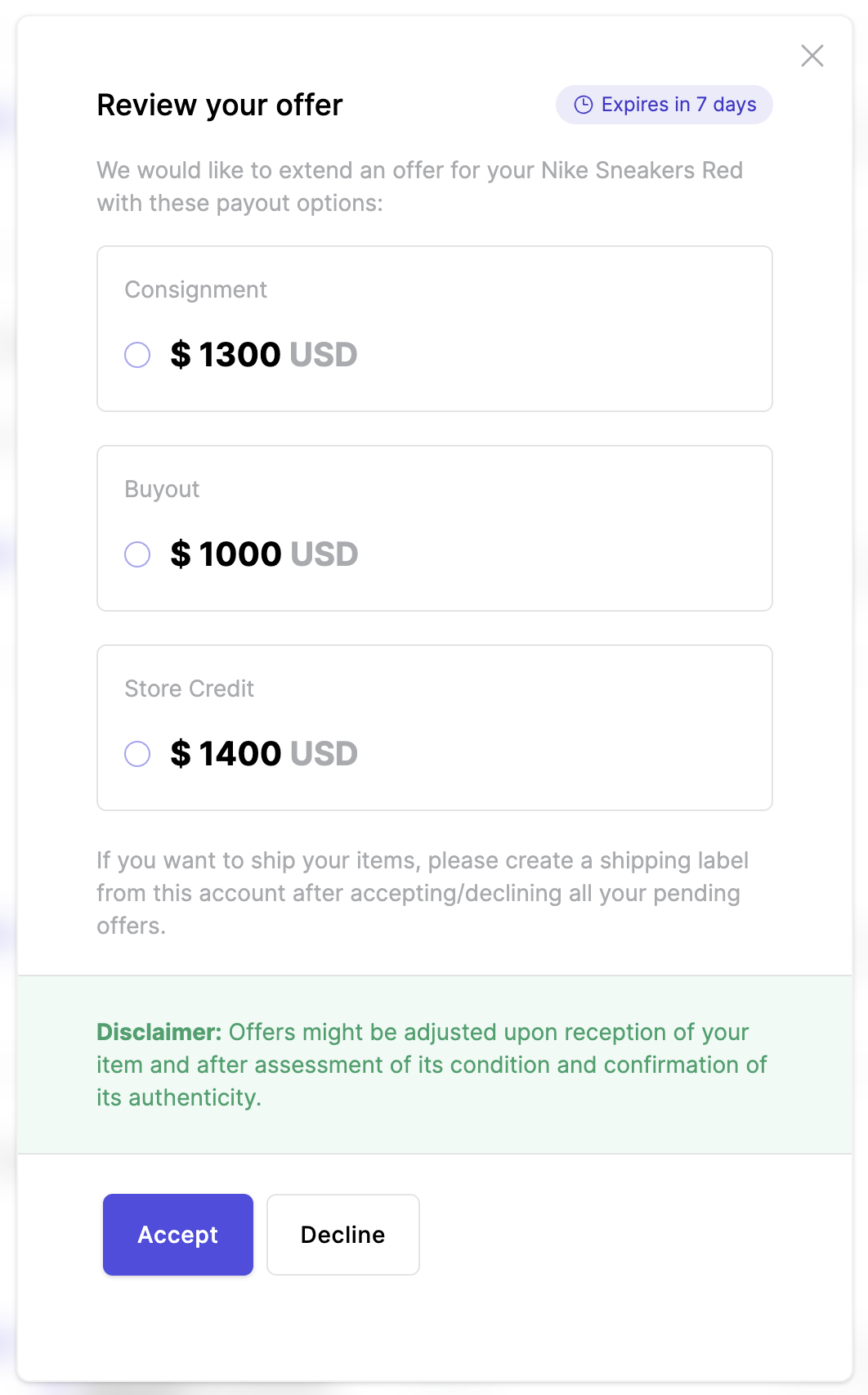
For your customers, in the resale app:
- Each pending offer shows "Expires in 7 days" (or however long is left) under View offer, and the exact date appears in the offer itself.
- Pending shipping labels, and the screen right after a label is created, show when the label expires too.
- The time is shown in the customer's own time zone.
In their inbox, too: the new offer email now says when the offer expires, right above the button to review it, and every reminder shows the expiry date under each item, since offers grouped in one reminder can expire on different days.
For you, in the admin: the offer timeline now has a greyed Scheduled entry that says when the active offer expires if the customer does not respond, or a note if it never will under your settings.
Why this matters: with the deadline shown right in the resale app, customers know exactly how long they have to decide, which makes them more likely to answer before the offer lapses. Clear deadlines set expectations without you having to chase anyone, and fewer customers come back asking why an offer disappeared.
Shipping: every label is one search away
Search any shipment by tracking number. Settings > Shipping now has a tracking search. Type the first few digits of a tracking number and press Enter, and it looks across all of your shipments, not just the last three months. Handy when a customer or carrier sends you a partial number.
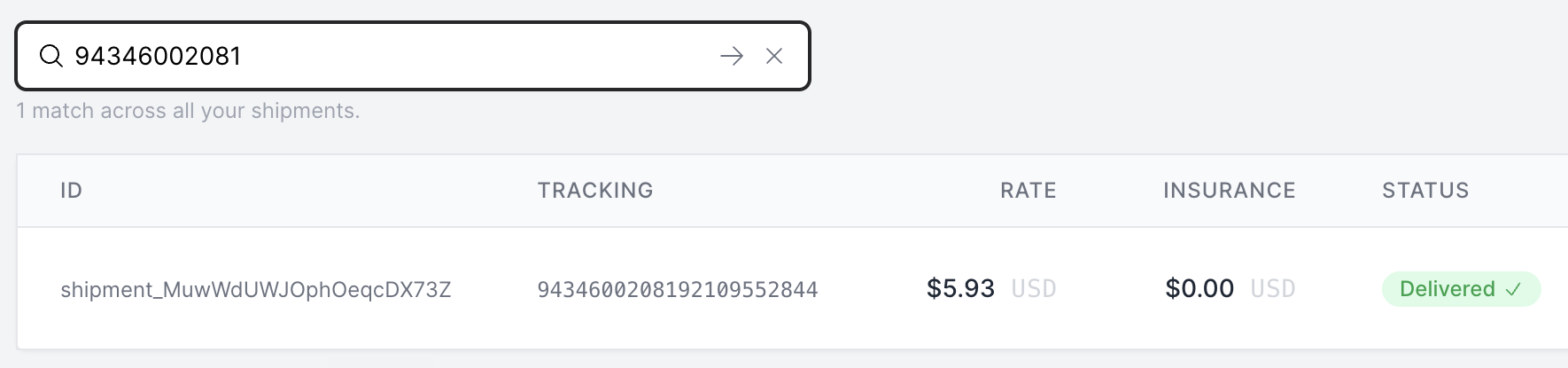
Open any shipment from your statement. Click a row and you get the full picture without hunting for the offer: the items inside, package value, carrier and service, rate, insurance, signature, the label to download, and the full tracking history.
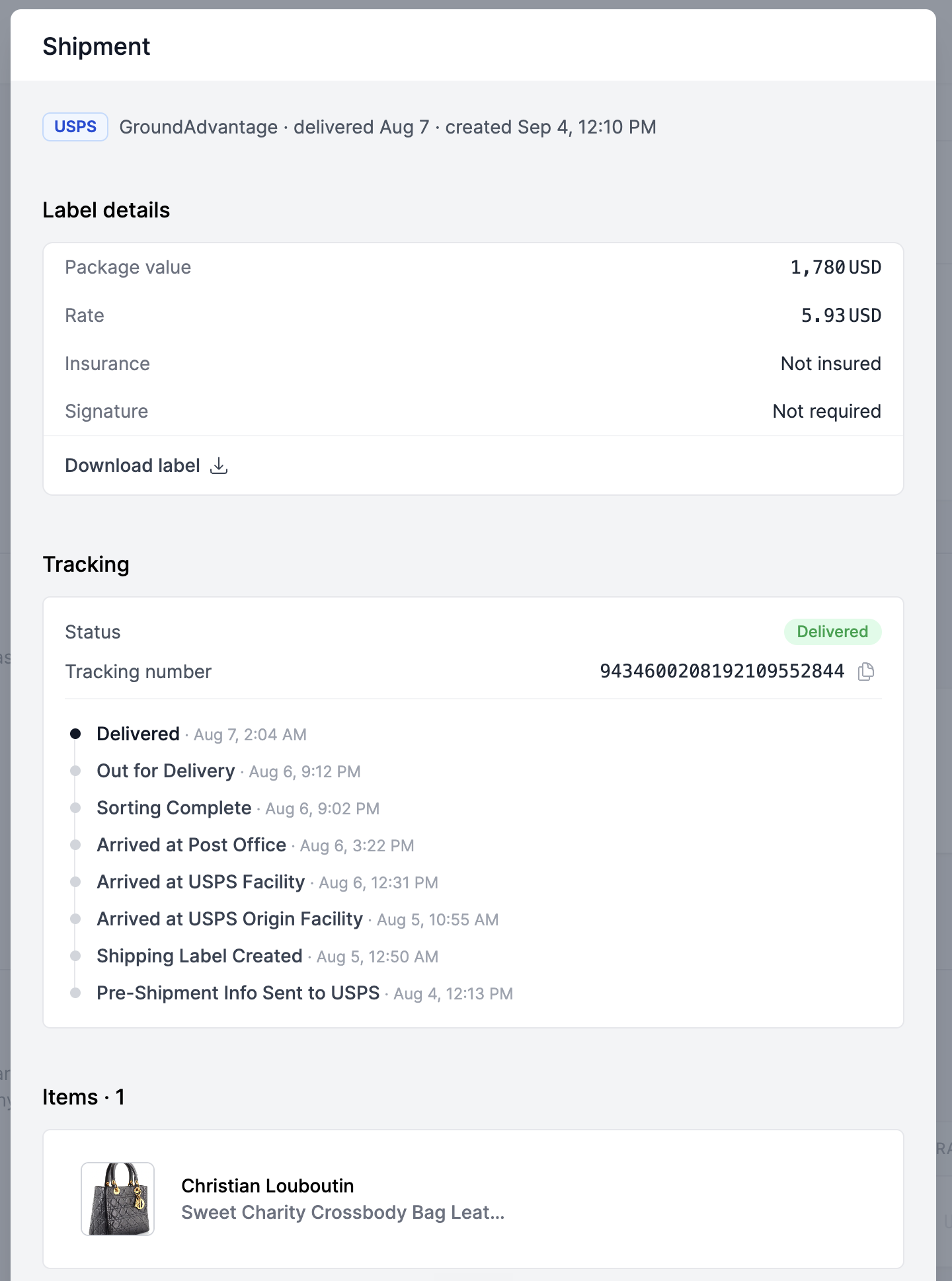
Package contents stay in your hands. Customers can no longer change what is in a package themselves, for example by adding items to a package they already created. Every package now matches what you approved, so the package value, insurance and label stay accurate and nothing ships outside the flow you set up. If a package does need to change, your team can still update it from the admin.
Smaller things you will notice
- Your offers search stays put. Search for a keyword, open an offer, and when you come back your search and its results are still there. Searching and filtering offers, customers and listings also feels snappier, and the results always match your latest filters.
- Photo downloads that handle any item. Downloading all of an offer's photos as one zip now works smoothly even for items with lots of large, high-resolution photos, and the file is named after the item so it is easy to find later.
- Clearer email error messages. If an email does not go through, the admin now tells you whether the email address is the problem or something else went wrong, so you know whether to check the address with your customer or reach out to us.
- Embedded resale apps size themselves to the page they sit in, so the frame on your website fits its content without extra scrolling.
- Faster and more reliable, everywhere. We put a round of work into speed and stability across the admin and the resale app. Pages load faster, searches respond quicker, and the whole experience holds up better on slow connections, so you and your customers spend less time waiting and more time doing business.
What is next
Photo recognition is the first step toward photo-first submissions everywhere, so expect it to reach more categories. We are also working on showing the resale app, sell form and emails in your customers' language, starting with French and Spanish, and on AI-written listing descriptions for items in your inventory. As always, if something in your day is slower than it should be, message us in the app. Most of what shipped this month started as a merchant telling us exactly that.
Keep reading
- September updates, part one: you decide what customers can submit, and offers get answered faster
Curate the categories and brands you accept, including ones our catalog does not carry, set condition and photo guidance per category…
- Introducing the sell form on Launch: intake without a website
Launch plan merchants can share a link to a custom sell form so customers submit items without needing the merchant’s site. Submissions…
- The Catalog API is moving to Price Hero — and v3 is here
We've launched Price Hero, a dedicated platform for the Catalog API. Here's what's new: v3 endpoints, a self-serve developer portal, a…