Can customers get shipping labels from their Resale App account?
Short answer: Yes! Customers can get shipping labels from their Resale App account.
Creating labels:
Upon accepting an offer, customers have the option to generate a shipping label directly from their account homepage. Here's a step-by-step guide:
- Accessing the Shipping Label: Customer navigate to the "My Offers" section and select "Get Shipping Label".
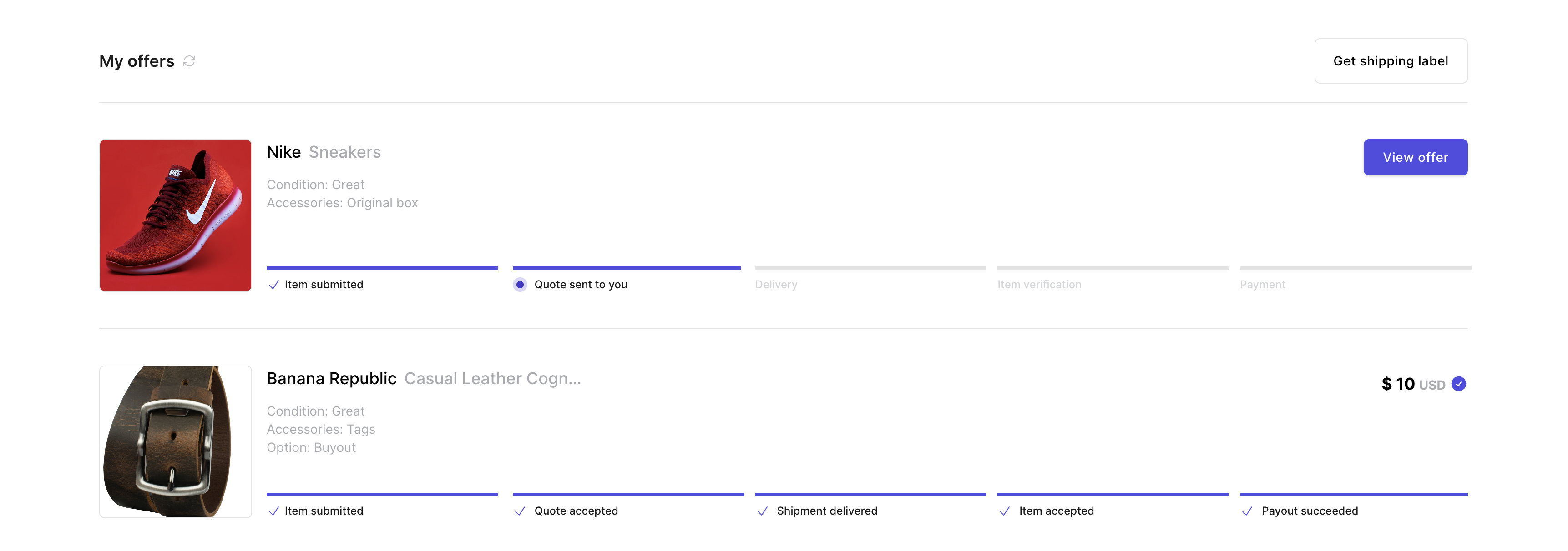
- Selecting Items: Customer select the items to include in the shipment.
- Customization Options: Customer select the package size and, if applicable based on your shipping customizations, can choose to opt for insurance coverage.
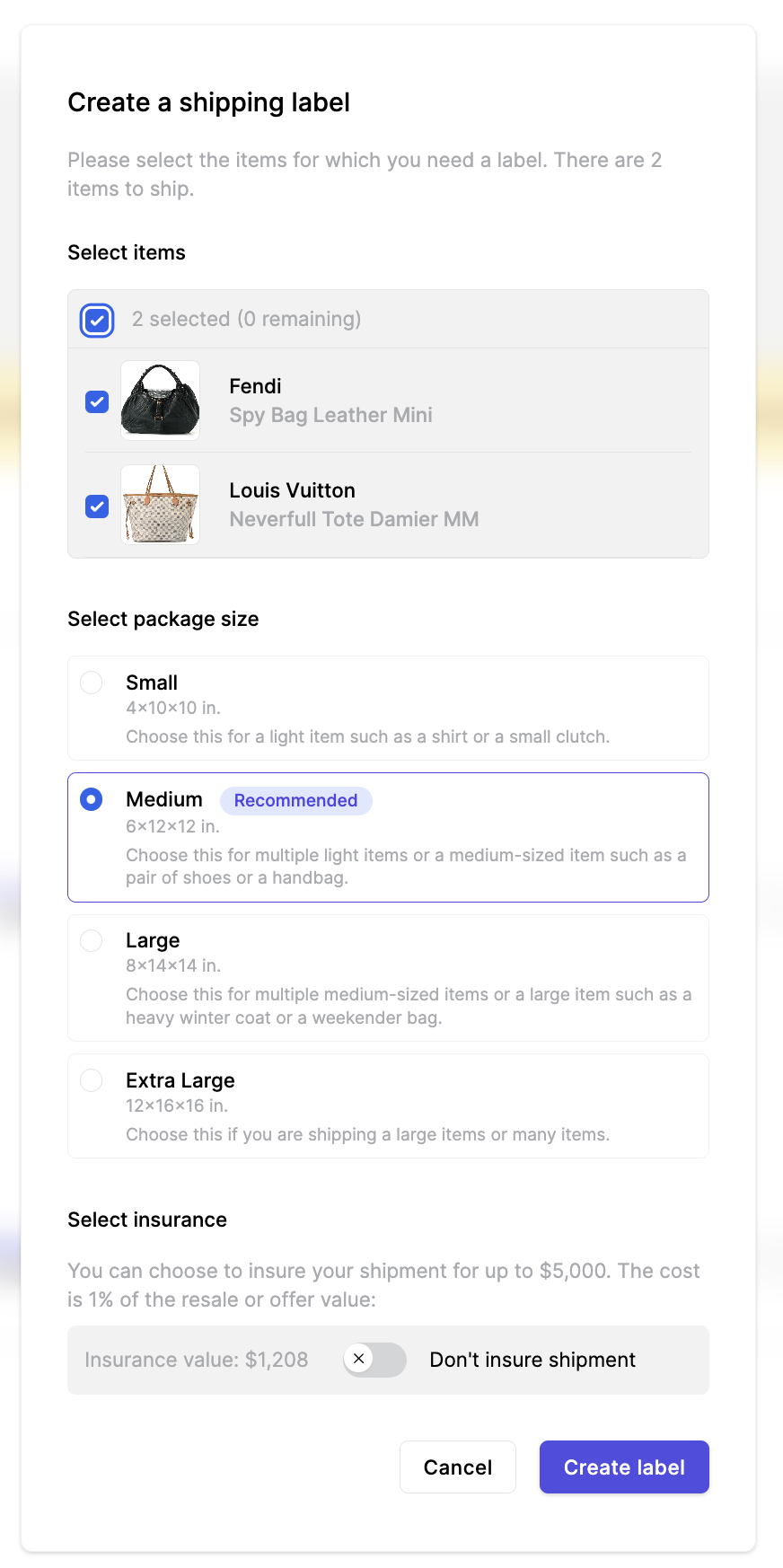
- Label Creation: Once ready, customer click on "Create Label" and proceed to download it from the Resale App. Additionally, an email containing the label will be sent within minutes.
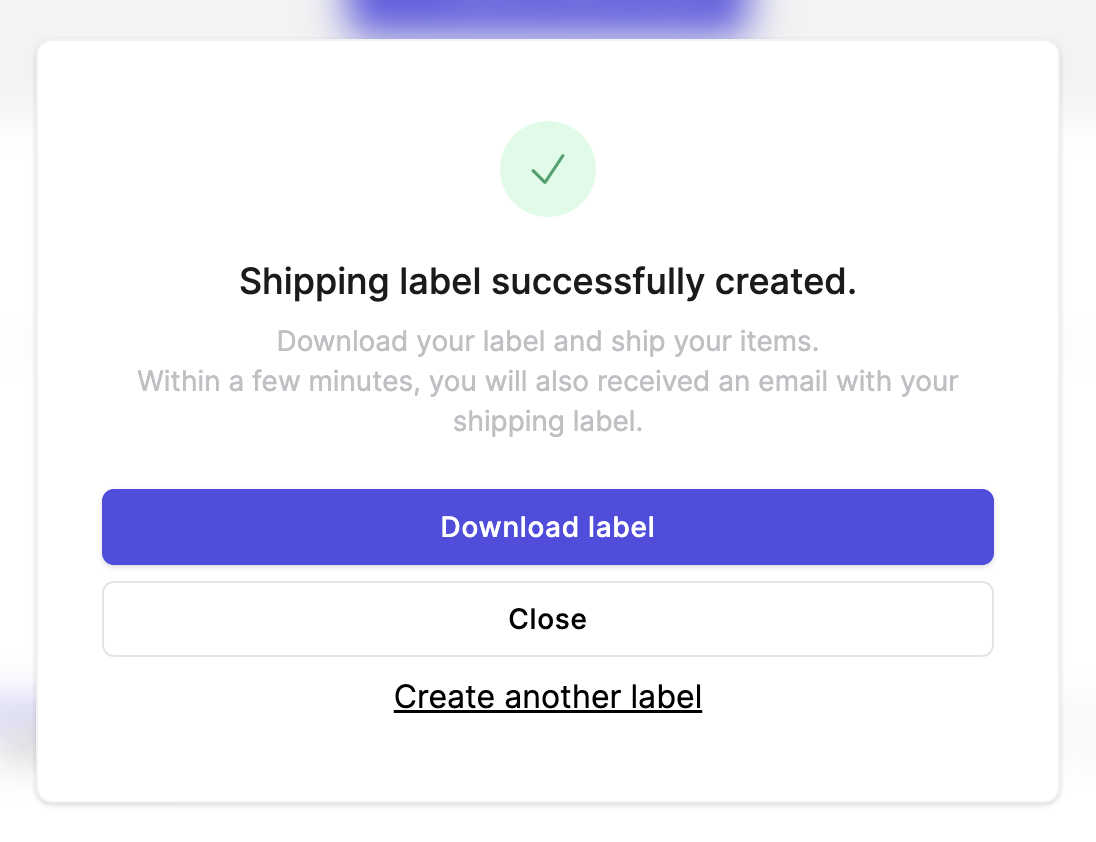
Managing Labels:
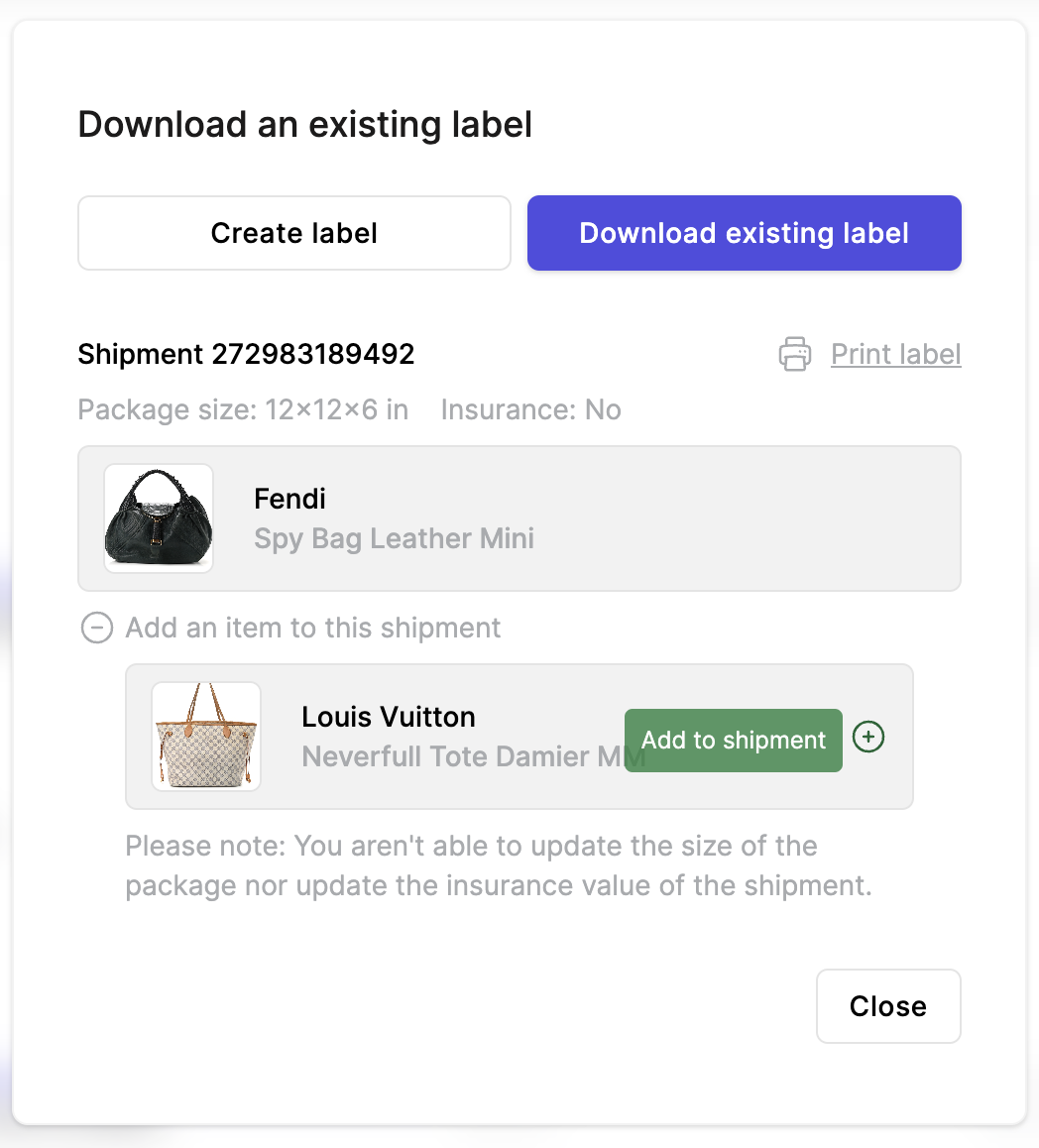
All pending labels created within the last 30 days can be found in the "Download existing label" tab.
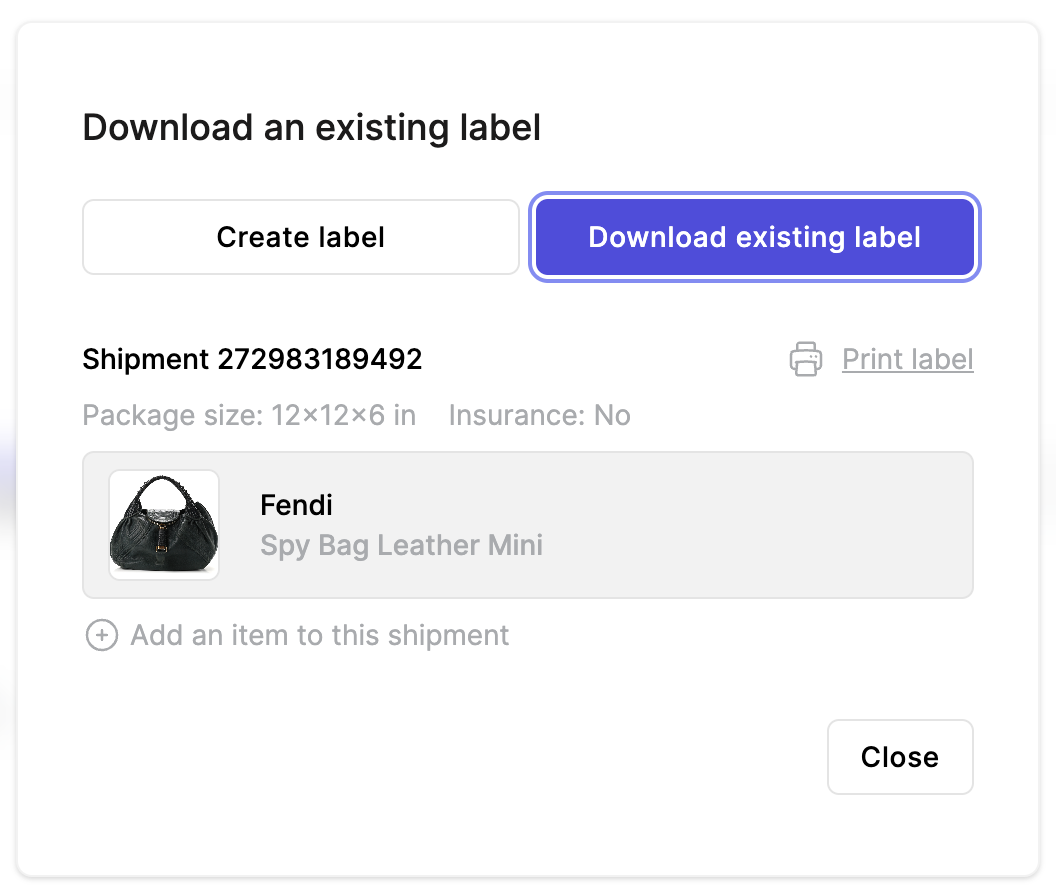
Customers have the flexibility to update existing, unused labels to include or exclude additional items. However, please note that modifications to package size or insurance cannot be made once the label has been generated.
If a customer is experiencing any issues with generating or managing shipping labels, you also have the possibility to manually create a label from the admin for them.
More about Trendful Shipping
Still stuck? Get in touch or browse all 144 answers.