How do I invite team members?
Only team owners can invite people and manage the Members list. If you are a member (not an owner), you will not see the invite field or member management actions.
Log into your Trendful admin account, open Settings in the bottom-left corner, then select Team.
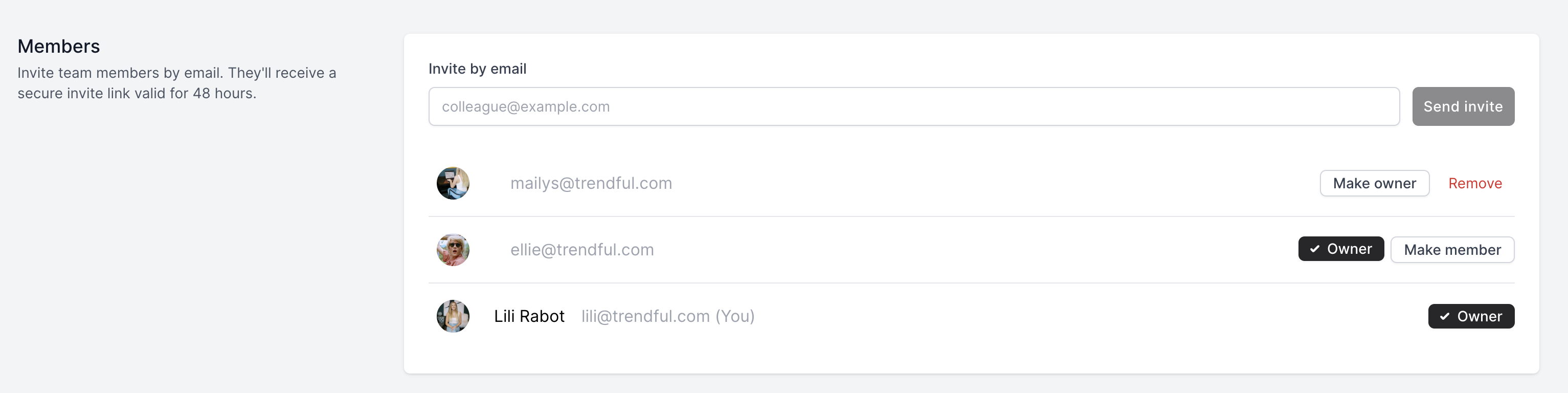
Under Invite by email, enter the person’s email address and click Send invite. Each invite is tied to one email address—if you need to add several people, send a separate invite for each.
The recipient gets an email with a secure link. That link expires after 48 hours and only works for the email you invited. If the link expires, a team owner can send a fresh invite.
On the same page, owners can change roles (for example, Make owner / Make member) or Remove someone from the team.
More about Trendful Admin
- Can I generate shipping labels for draft offers and manual quotes?
- How can I change my email and/or password in my admin account?
- How do I change my profile name in my admin account?
- How do I change or add credit cards to my account?
- How do I change the email notifications I receive?
- How do I create a Trendful Admin account?
Still stuck? Get in touch or browse all 144 answers.