How does the Activity section work?
Every offer, product, and customer page has an Activity section. It keeps your team's comments and the item's history in one place, so anyone picking up an offer can see what happened and what was said.
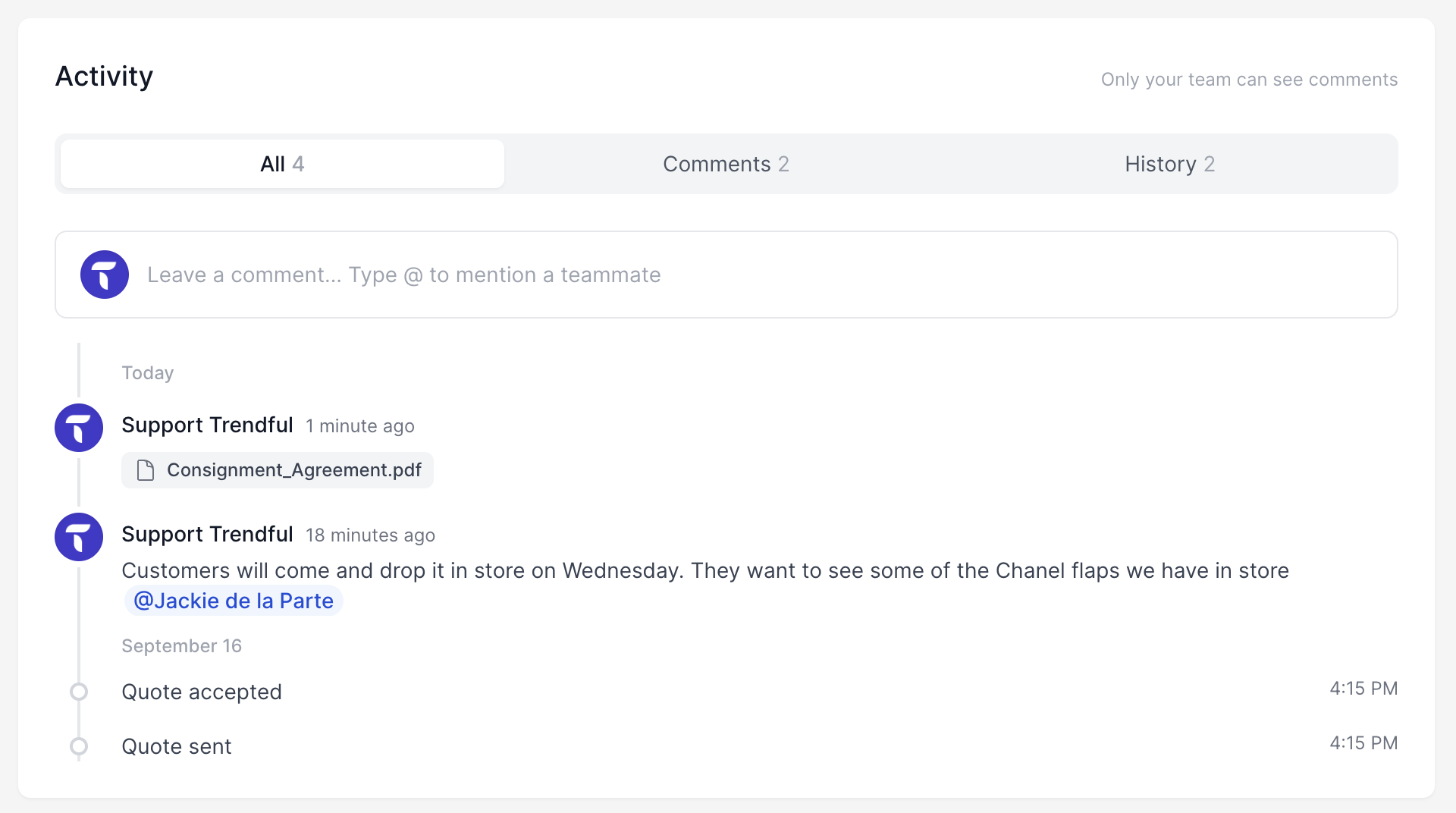
Only your team can see Activity. Sellers and customers never see your comments or attachments.
Leave a comment
Click Leave a comment, type your message, and click Post. You can also:
- Mention a teammate by typing @ and picking their name. They get an in-app notification unless they've turned Mentions off.
- Add an emoji with the smiley button.
- Attach files with the paperclip: JPEG, PNG, WebP, or PDF, up to 5 files per comment, 20 MB each and 25 MB in total.
You can edit or delete your own comments. Team owners can delete any comment.
Filter an offer's Activity
On offers, use the tabs at the top:
- All: comments and history together, newest first
- Comments: only your team's comments
- History: only updates, such as quote sent, quote accepted, label created, delivered, and payouts
Your earlier notes
Notes you saved on a customer before Activity launched now appear in their Activity as Earlier note.
Get notified
Choose how you hear about comments, mentions, and teammates' changes in Settings → Profile & Security → Notifications. See How do I change the notifications I receive? for the full list.
More about Trendful Admin
- Can I generate shipping labels for draft offers and manual quotes?
- How can I change my email and/or password in my admin account?
- How do I change my profile name in my admin account?
- How do I change or add credit cards to my account?
- How do I change the notifications I receive?
- How do I create a Trendful Admin account?
Still stuck? Get in touch or browse all 157 answers.