Can I pay several items in one payout?
Yes. When you owe the same customer for several items, you can pay them all in one payout. You pay a single payout fee, and your customer receives one transfer instead of one per item.
From an offer
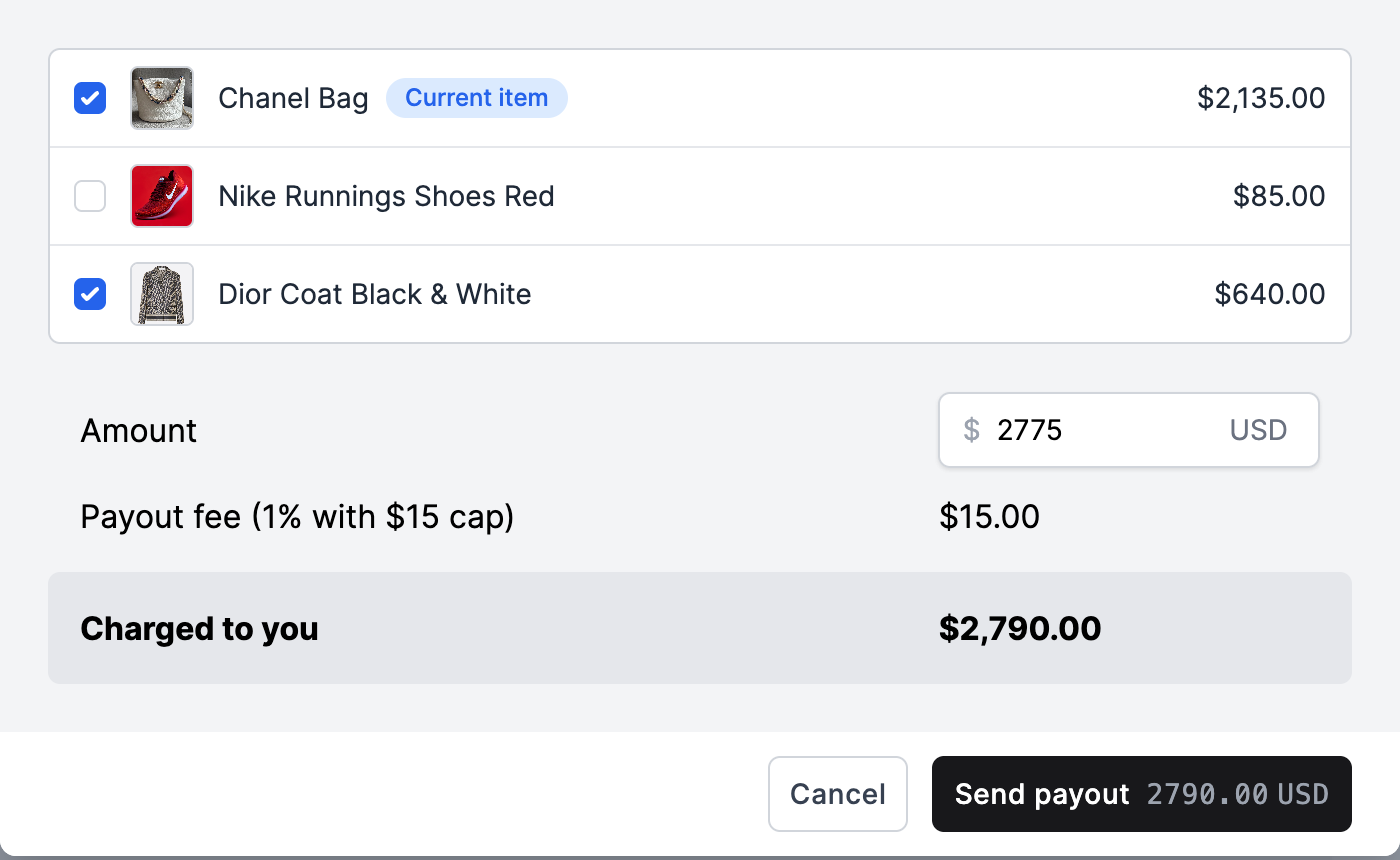
- Open the offer and click Create payout. The item you are on is always included and is marked Current item.
- The customer's other items that you still owe are listed under it, unticked. Tick the ones you want to pay at the same time.
- The Amount starts at the total of the ticked items. You can change it before sending, for example to take off a one-time deduction. The payout fee and Charged to you update as you go.
- Click Send payout.
Why isn't an item showing?
The payout window only lists items you still owe this customer. An item does not appear when:
- its offer has not been accepted, or was submitted more than 90 days ago;
- it is archived or deleted;
- it was rejected at inspection;
- it already has a payout that is waiting to send, on its way, or paid. A payout that failed, was canceled, refunded, reversed or expired counts as still owed, so the item shows again;
- it is a consignment that has not sold yet;
- it belongs to a different customer.
Store credit items are listed but cannot be ticked, because store credit isn't paid through Trendful yet. Issue the credit outside Trendful, then mark the item as paid.
From Payouts due
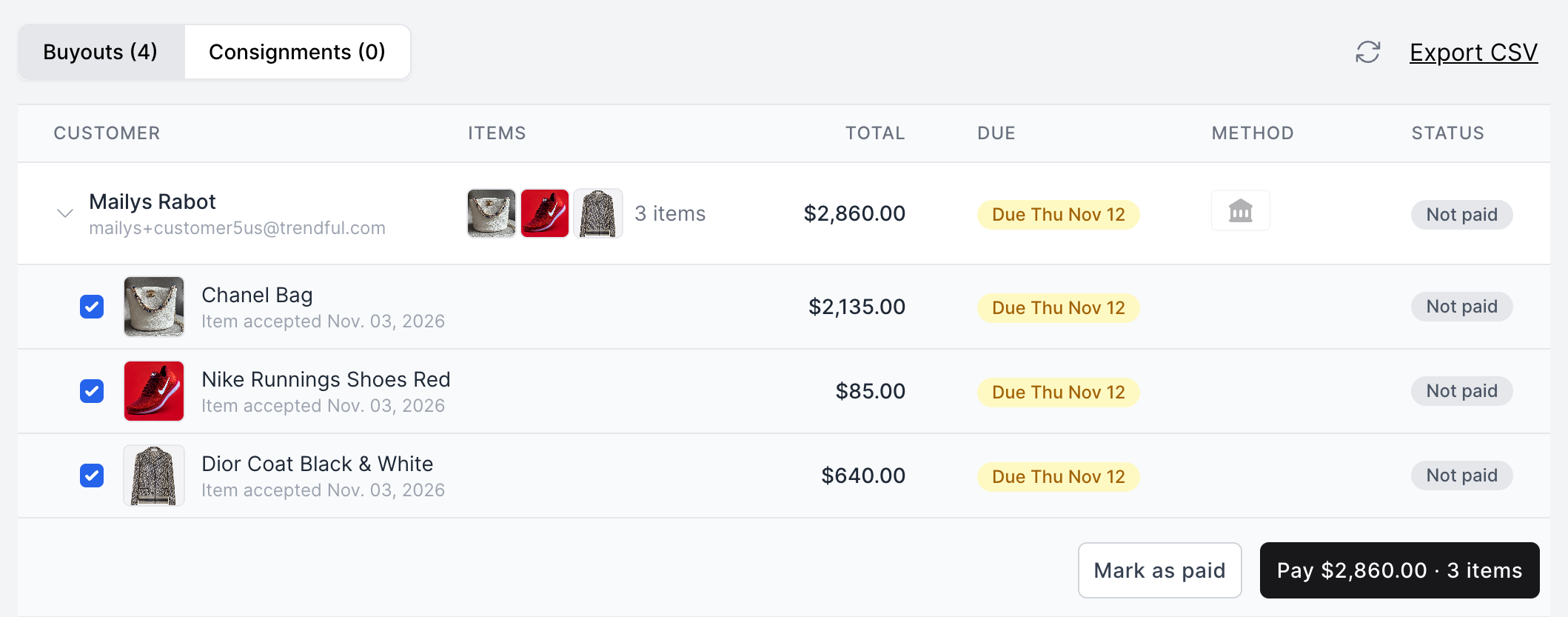
If you use a payout schedule (Enterprise early access), go to Settings > Wallet > Due. It lists what you owe under your payout schedule, grouped by customer. Open a customer: their items are ticked, so untick any you do not want to pay now. Click Pay to open the payout window, check the amount, then click Send payout.
To pay several customers at once, see Can I send payouts in bulk?
More about Trendful Wallet
Still stuck? Get in touch or browse all 154 answers.