How do I connect my PayPal Wallet with Trendful?
Before connecting your PayPal Business account, you need to ensure that ‘Payouts’ are enable for your account. Then, simply follow this straightforward process:
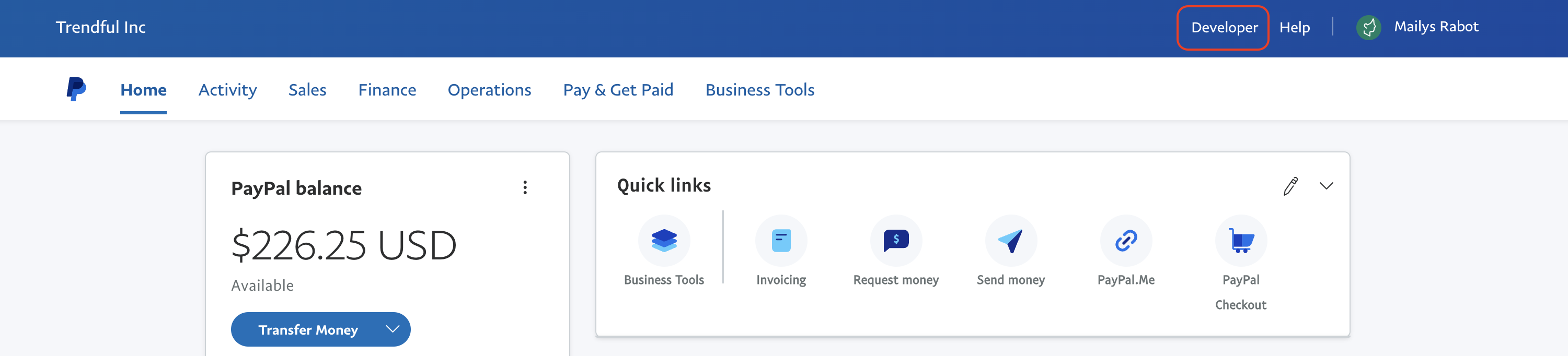
- In your PayPal Business Account, navigate to the ‘Developer’ dashboard
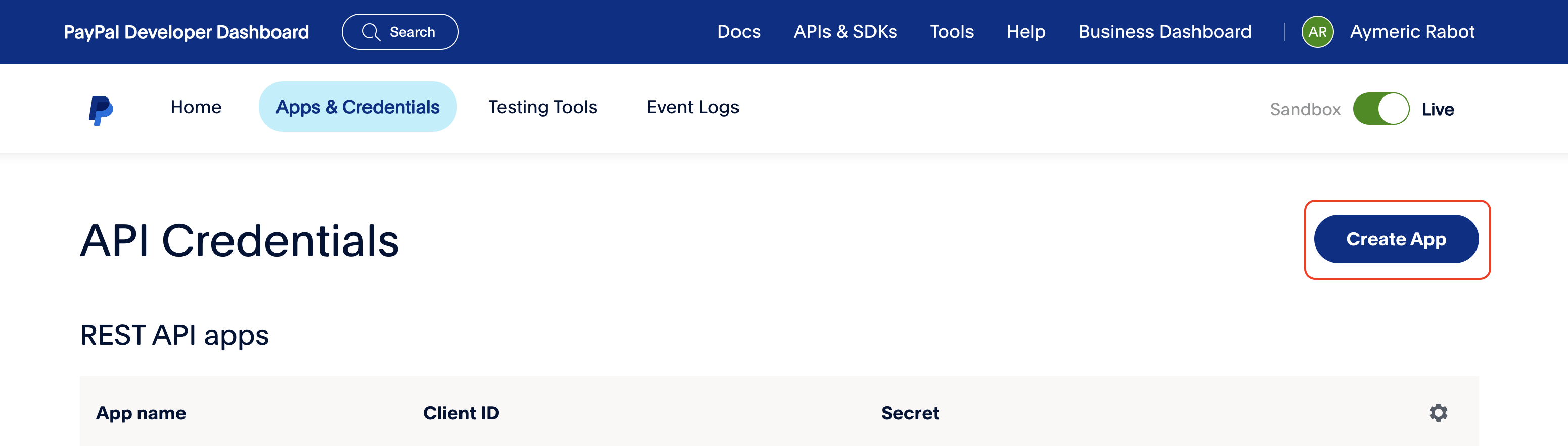
- Navigate to ‘API Credentials’ and select ‘Create App’
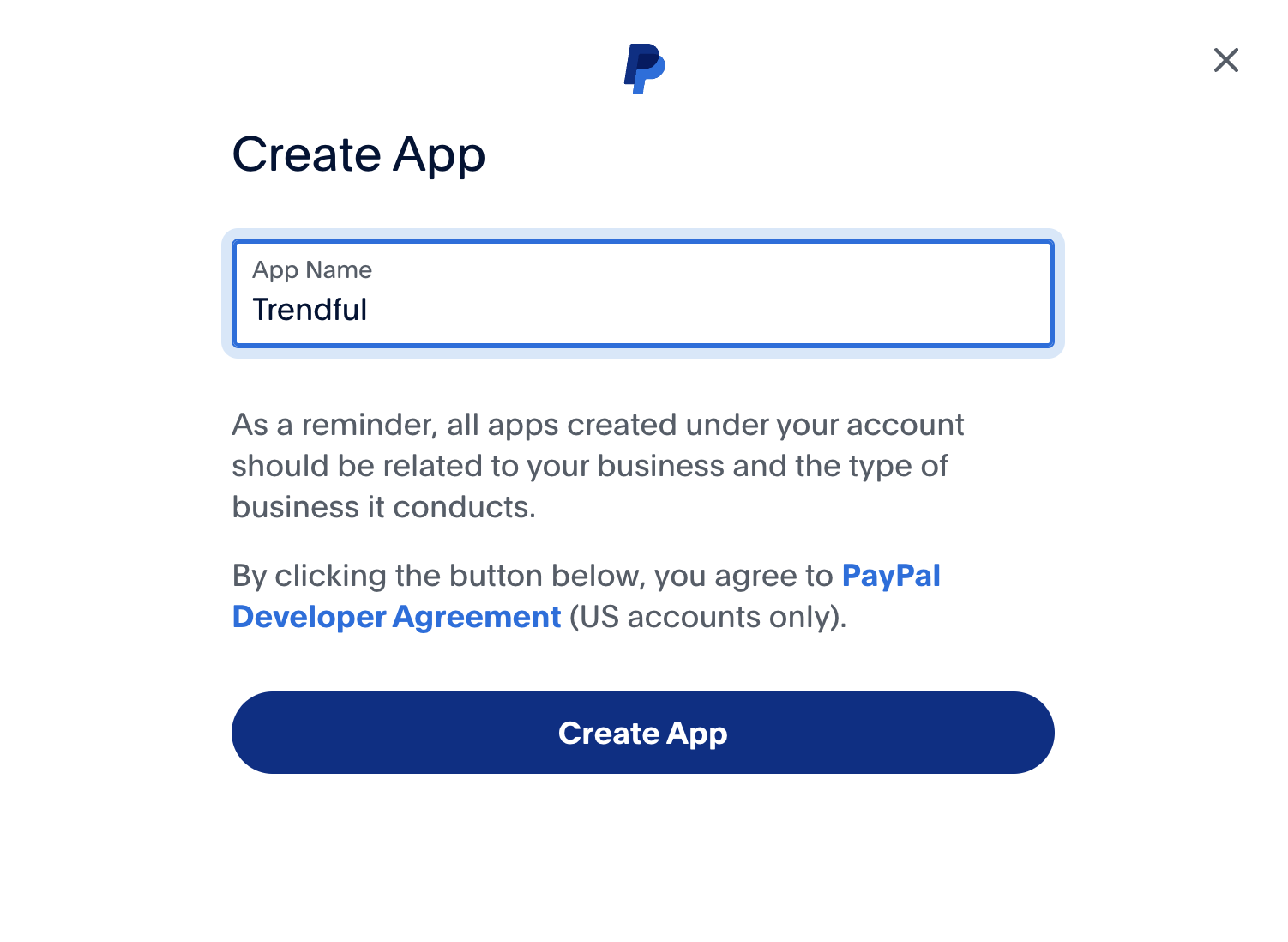
Enter ‘Trendful’ as the application name and click ‘Create App’
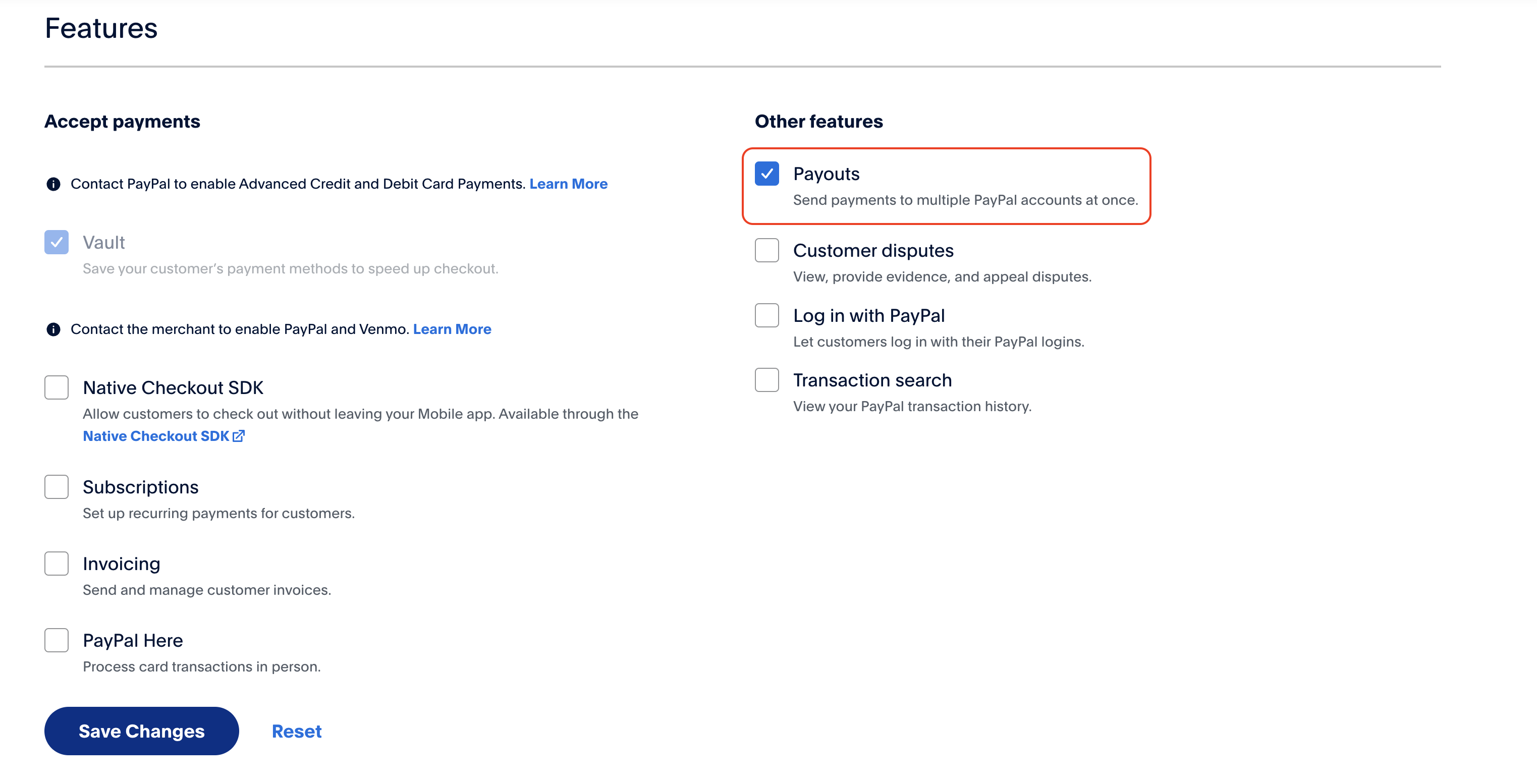
- In the Trendful application you just created, verify that ‘Payouts’ is selected in the Features section
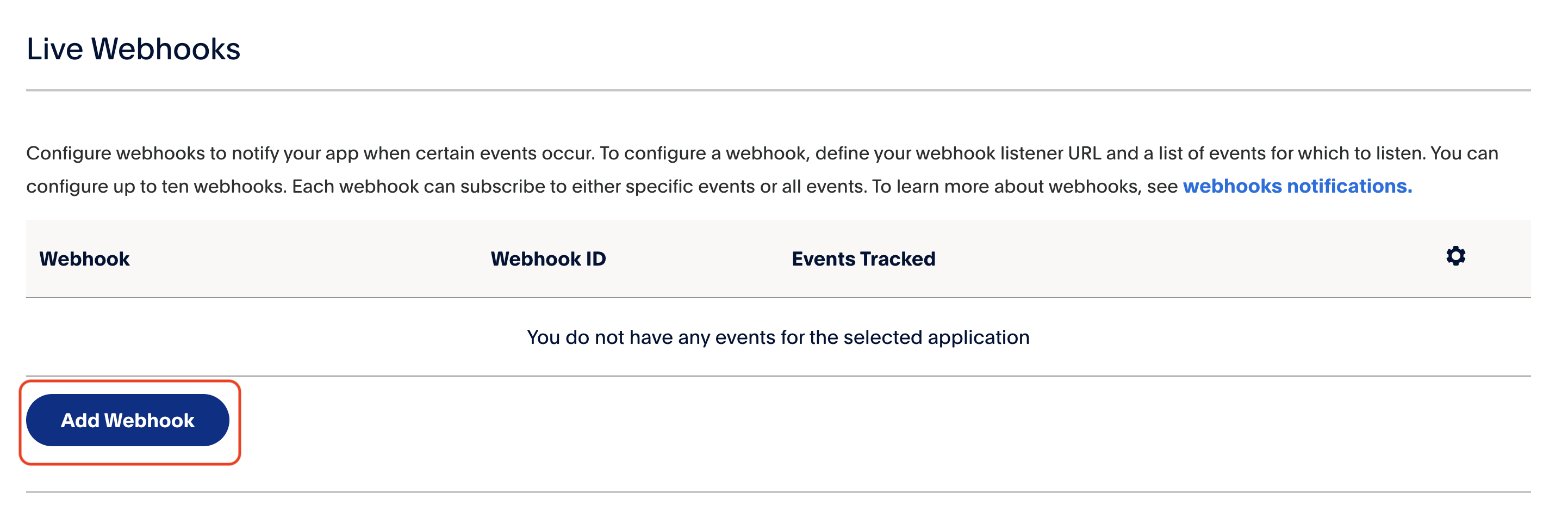
- In the Webhooks section, click on ‘Add webhooks’
Add the URL https://api.trendful.com/webhooks/paypal and scroll down to select events to subscribe to: in ‘Payments & Payouts’ dropdown, select all events that contain ‘payoutsbatch’ and ‘payouts-item’
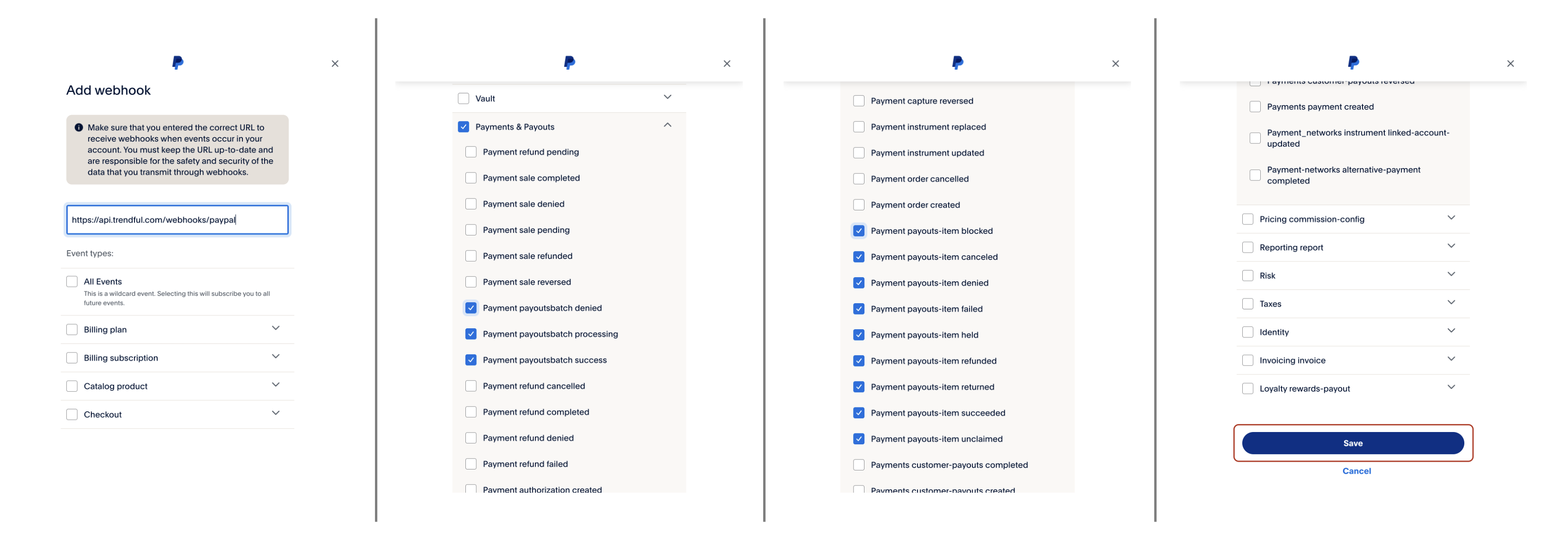
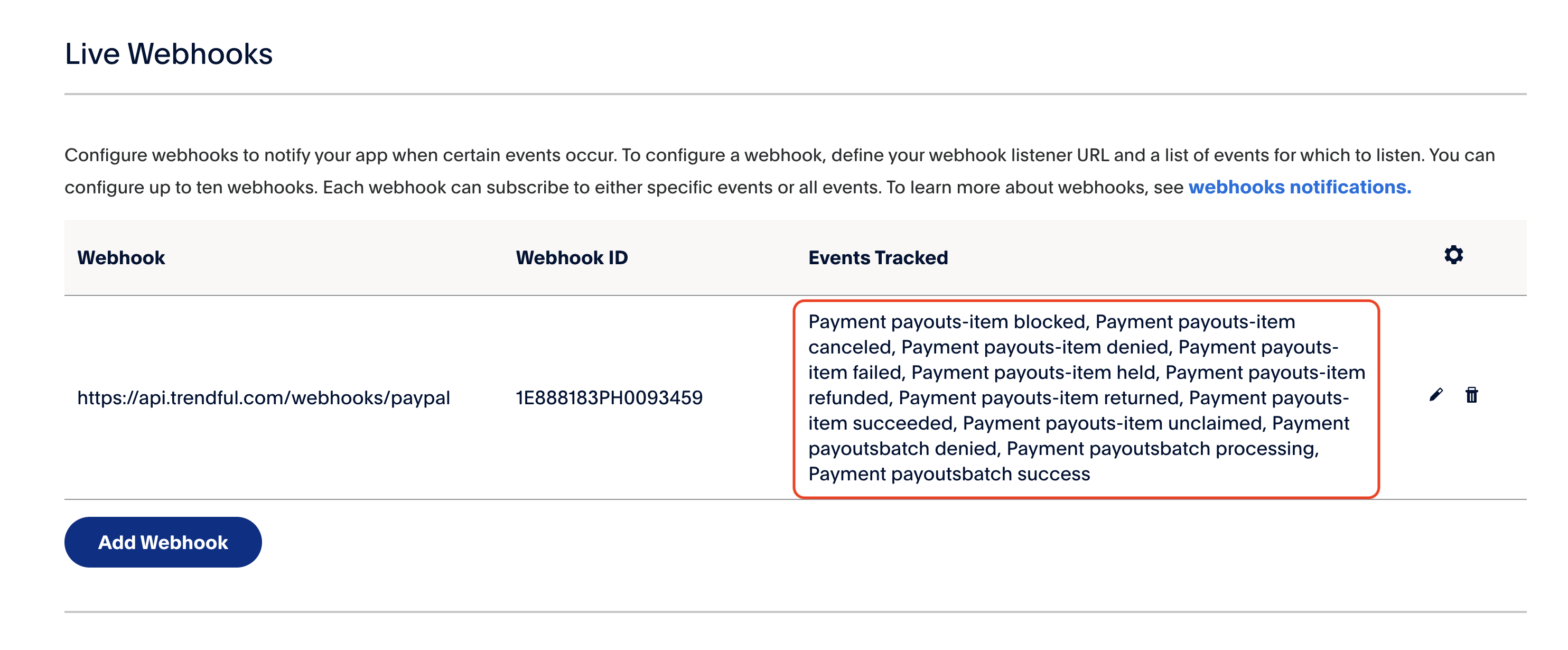
Then click ‘Save’ and verify that your webhooks has been created with the required tracked events:
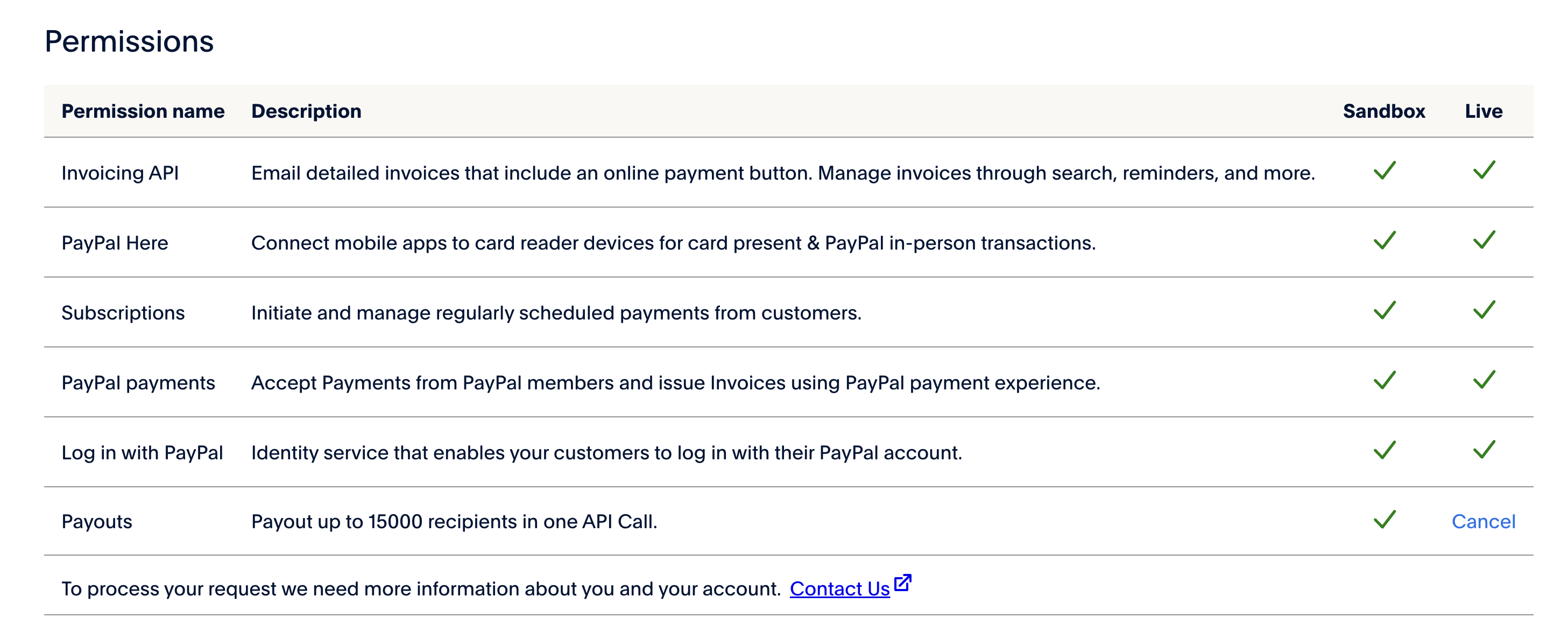
- Verify payouts are enabled for your account
Before sending PayPal payouts from Trendful, you need to enable Live Payouts. To verify if it is enabled, navigate to the Developer Dashboard and select "My Account" > "Permissions".
- Lastly, scroll up on the Trendful application and copy your Client ID and Secret Key.
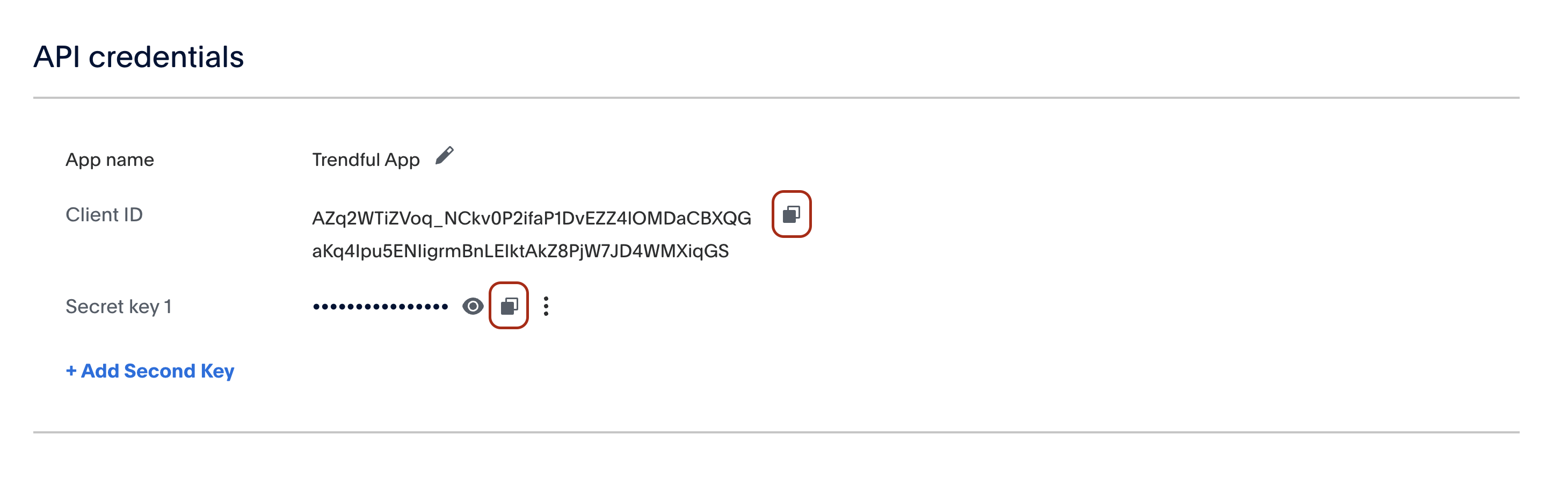
Them, log in into your Trendful Admin account and navigate to your Settings > Payout Wallet > External wallets section. Paste your Client ID and** Secret Key** here by clicking ‘Edit’ and then ‘Save’.

And you are now ready to send PayPal and Venmo payouts!
More about Trendful Wallet
Still stuck? Get in touch or browse all 144 answers.