How do I payout my customers?
Sending payouts to your customers is simple!
Just follow these easy steps:
- First, set up how you’ll pay. In Settings → Payout wallet, set up your Trendful Wallet, connect your bank account and fund your wallet to pay by bank transfer (US businesses, Pro and Enterprise plans). Or connect your PayPal Business account under External wallets to pay by PayPal or Venmo.
-
Once your payout wallet is ready, you can begin to pay your customers.
-
To send your first payout simply by going to your “Offers” section on your Trendful Admin account.
-
Select the offer for the customer you would like to pay and then scroll down to the payout section.
-
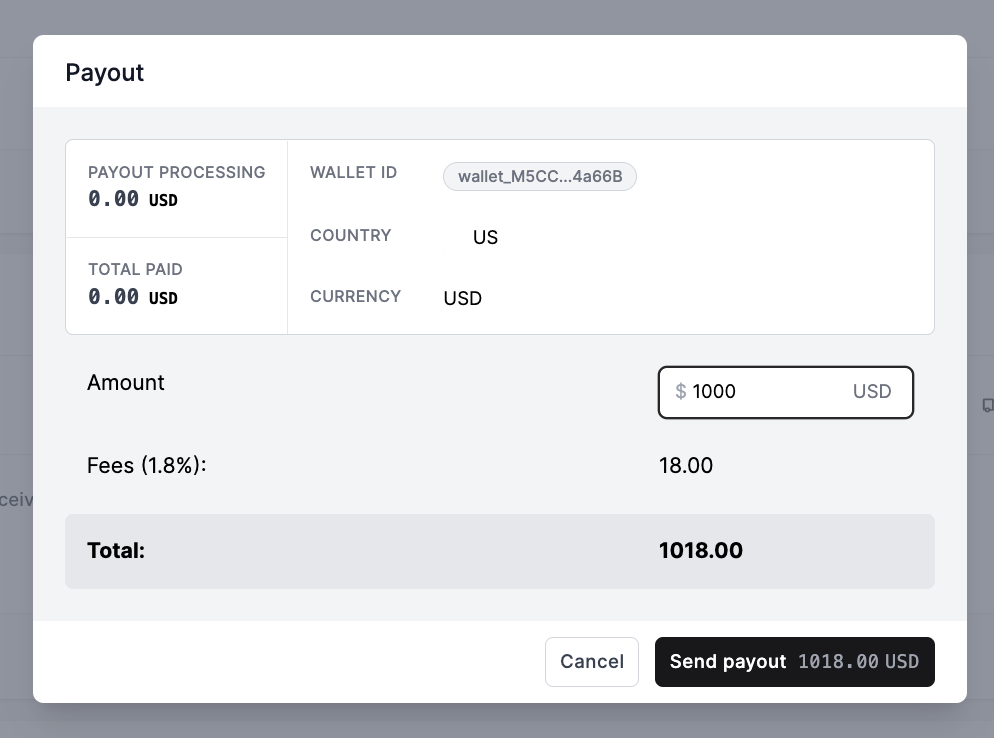
Click the button “Create Payout”, a window will then pop up where you can make any last-minute adjustments to the payout amount. When you are ready simply click the button “Send Payout”.
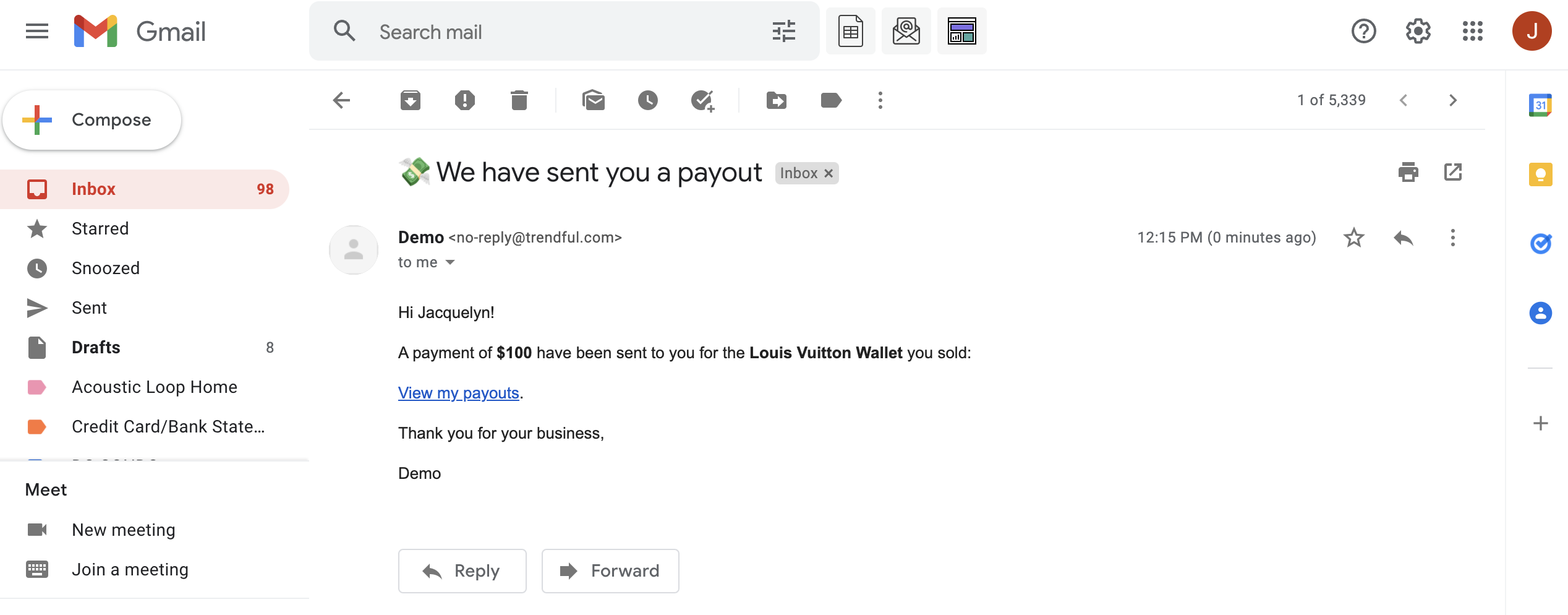
- Once you click “Send Payout” your customer will receive an email notification.
-
For bank transfers, if they haven’t yet, your customer connects their bank account in your resale app, securely via Plaid or manually.
-
Your customers will be able to see their offers, payouts, and account information.
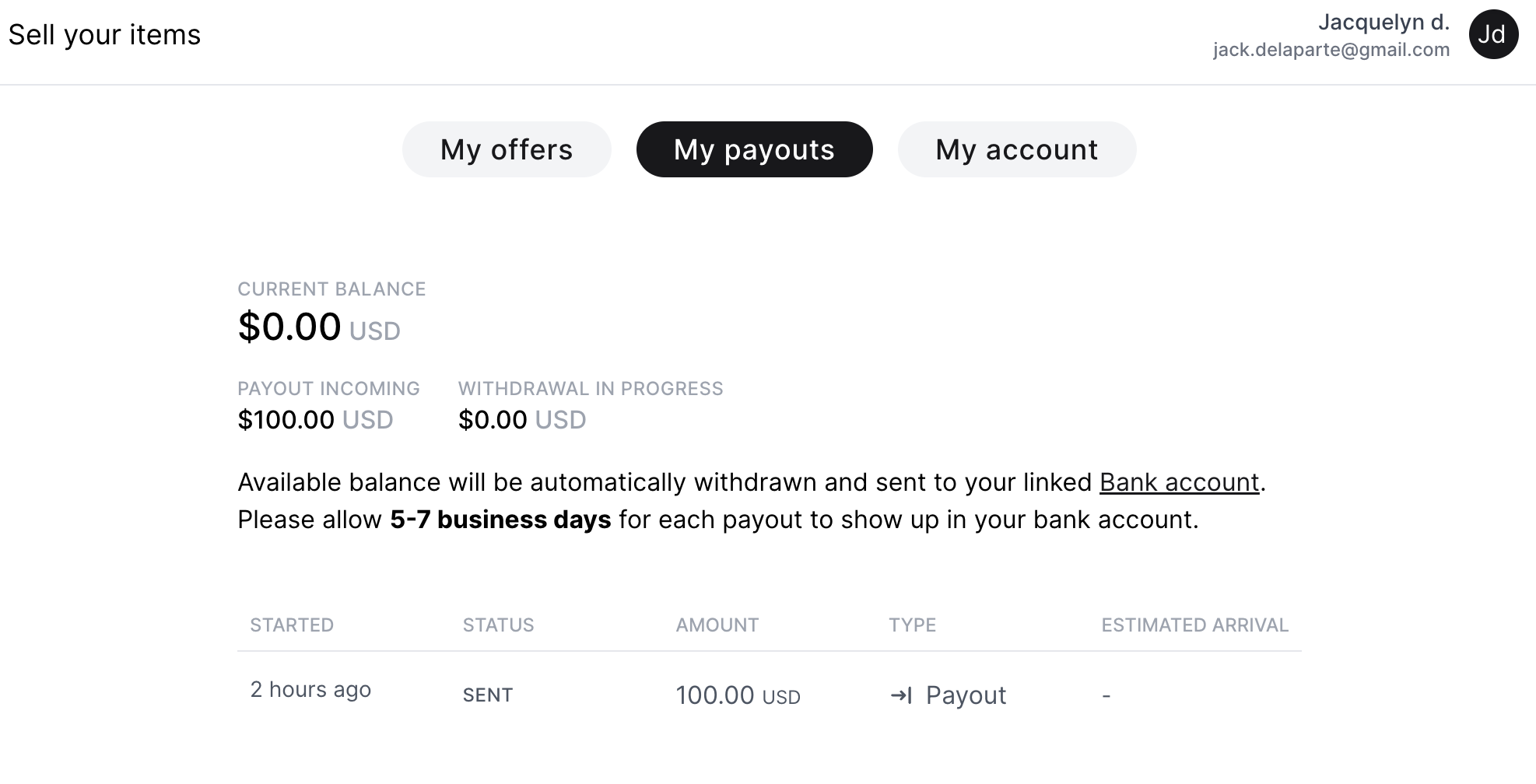
Once their bank account is connected, customers receive a bank transfer payout within 1 to 4 business days.
To learn more about sending payouts read our Trendful Wallet guide and our PayPal and Venmo payouts guide!
More about Trendful Admin
- Can I generate shipping labels for draft offers and manual quotes?
- How can I change my email and/or password in my admin account?
- How do I change my profile name in my admin account?
- How do I change or add credit cards to my account?
- How do I change the email notifications I receive?
- How do I create a Trendful Admin account?
Still stuck? Get in touch or browse all 144 answers.