How do I set-up my Trendful Wallet?
Trendful partners with Stripe Payments Company for money transmission services and account services with funds held at Fifth Third Bank, N.A. and Evolve Bank and Trust, Members FDIC.
Follow these simple steps to set up your Trendful Wallet:
-
Login to your Trendful Admin account and click on your “Settings” at the bottom left hand corner.
-
Once in your settings menu, click on your “Payout Wallet” section. Next click on the button “Set up my wallet with Stripe”. (see the image example below)
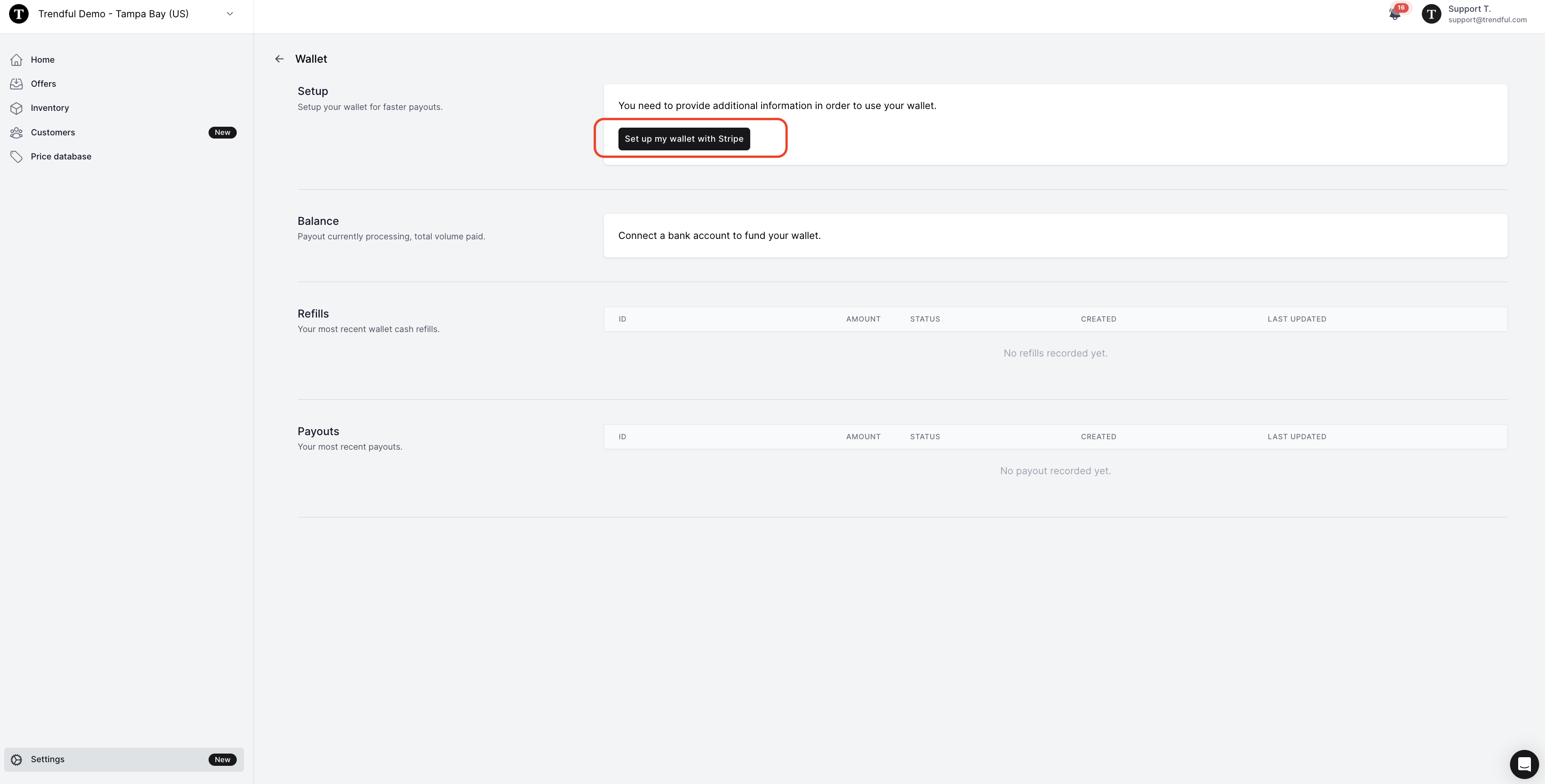
- After you click the button, “Set up your wallet” you will be redirected to Stripe (our payment processor), which will collect information about your business and the business’ legal representative. (see the image example below)
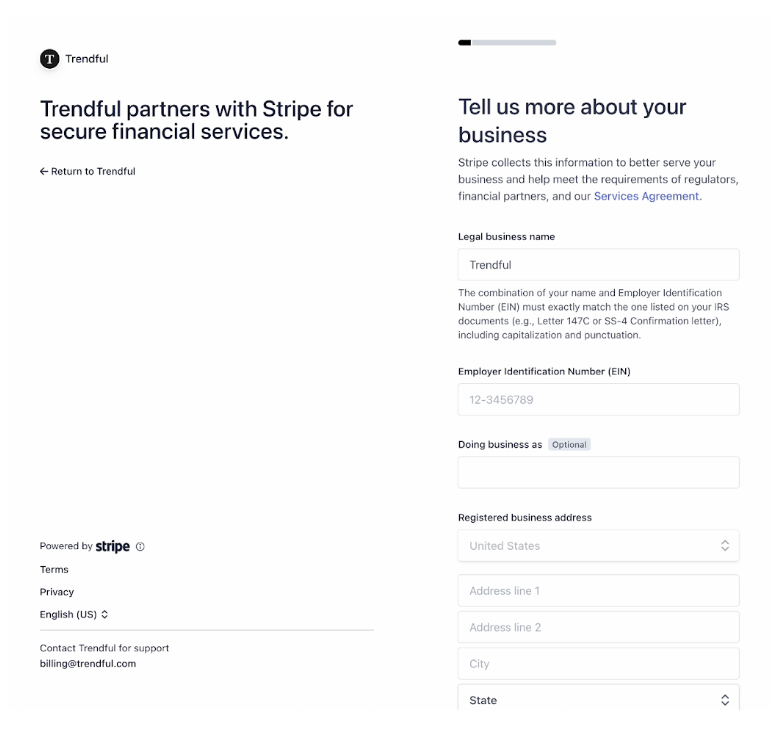
- Once you have provided all the required information to Stripe, you will be redirected back to Trendful and your Trendful Wallet will be ready to use! (see the image example below)

*Currently Trendful Wallet and sending bank transfers to your customers is only available to companies based in the United States. However, merchants from any countries are able to connect a PayPal business account and send payouts via PayPal.
More about Trendful Wallet
Still stuck? Get in touch or browse all 144 answers.