How does a customer accept an offer sent by the company they are selling to?
Short answer: it depends on your plan. On Launch, customers accept from a link in the offer email, with no account needed. On Pro and Enterprise, customers accept from their Resale App account.
When you send a quote
When you send a quote from your Trendful Admin, the customer gets an email with their payout options and a Review your offer button.
Launch plan: accepting from the email link
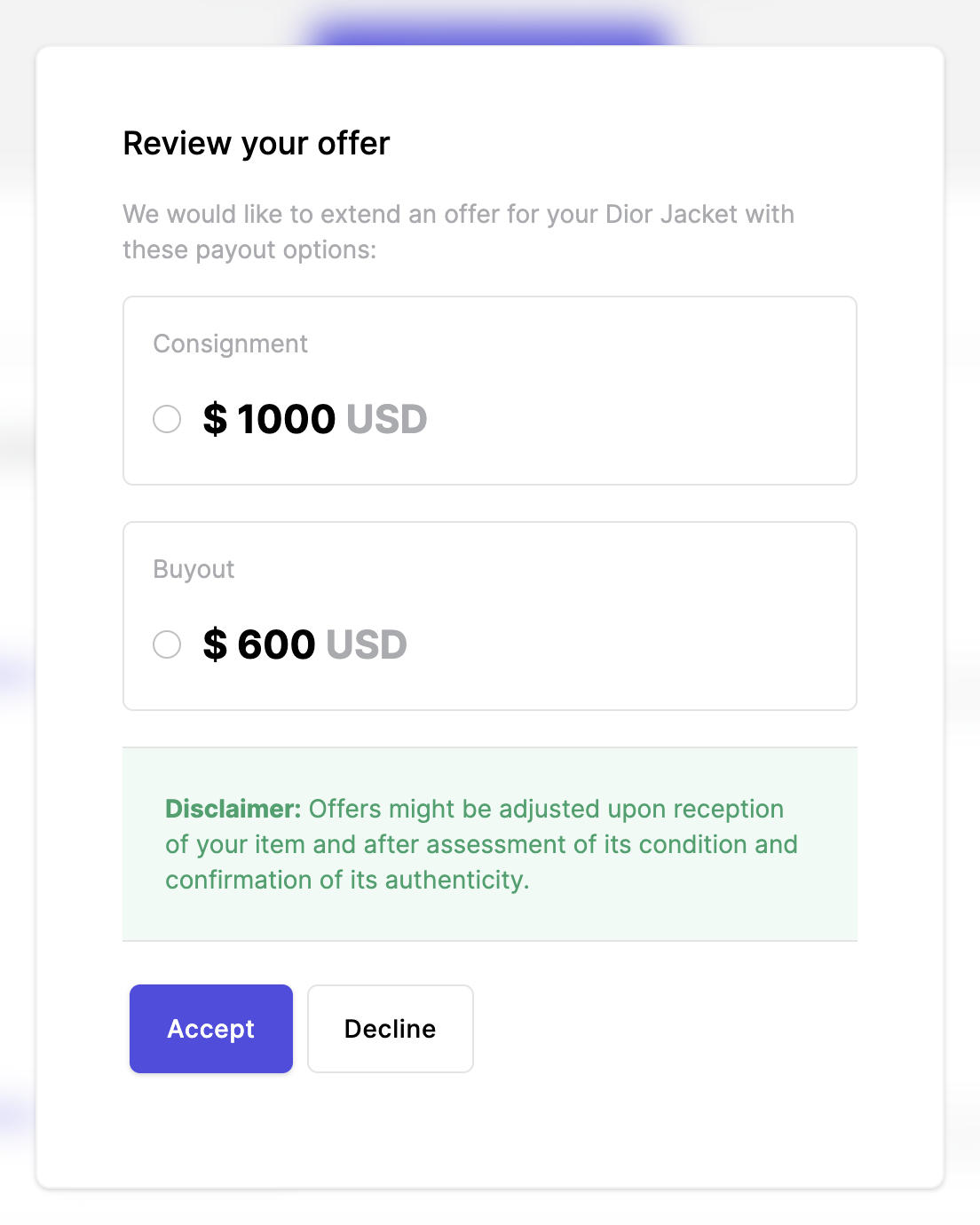
The Review your offer button opens a page just for that offer. The customer doesn't need an account. They pick a payout option and click Accept, or click Decline.
Once they've answered, the page only shows their choice. If they need to change anything or have a question, they can reply to the offer email.
Pro and Enterprise plans: accepting in the Resale App
The Review your offer button takes the customer to your Resale App. Customers who don't have an account yet need to create one with the email address the offer was sent to.
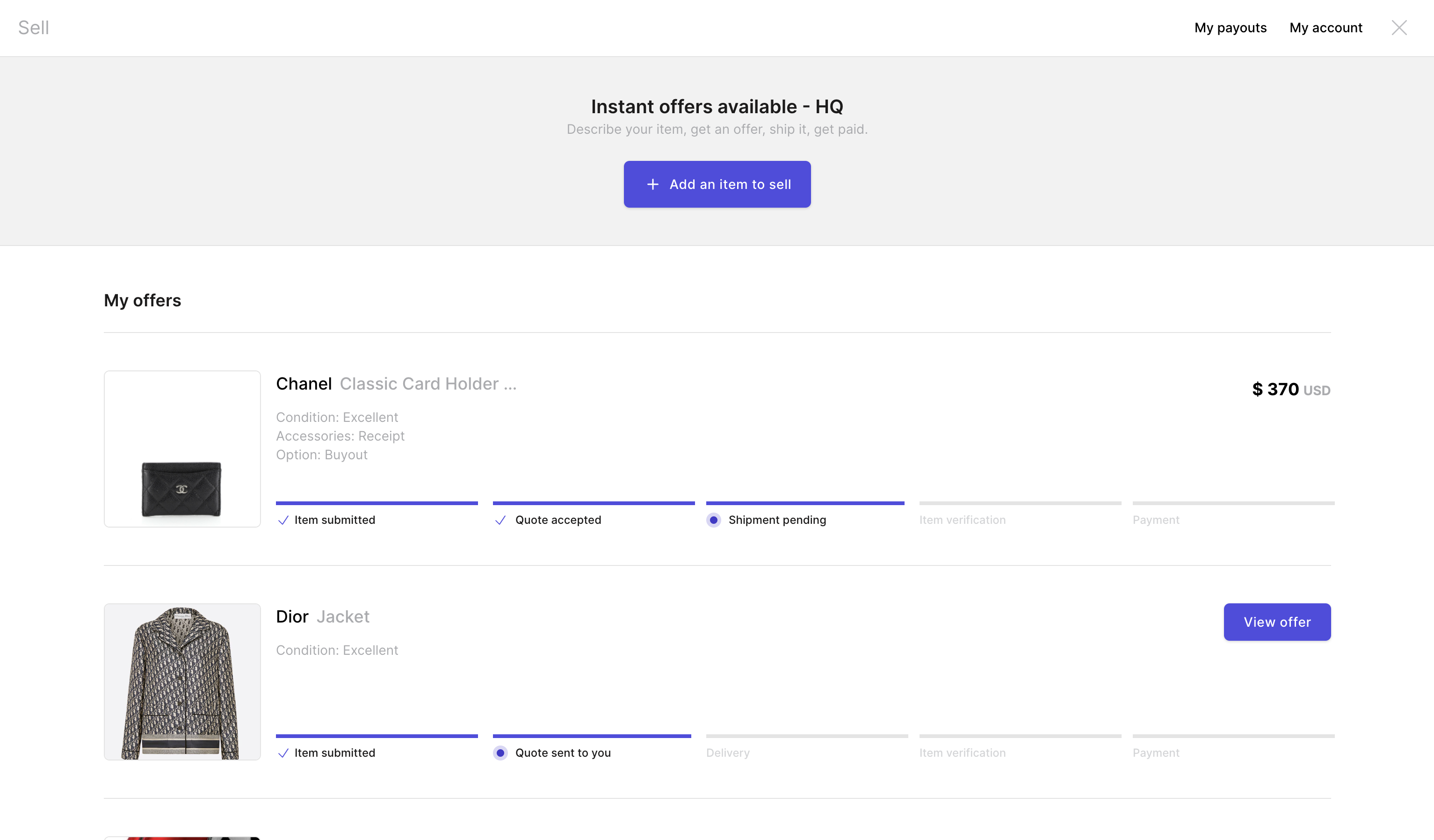
On the homepage, customers see all of their offers. When a quote is waiting for them, they click View offer (see image below).
They pick the payout option they prefer and click Accept, or click Decline.
If you use instant pricing, customers don't have to wait for a quote: they see their offer as soon as they describe their item and its condition, and can click Accept offer right away.
After a customer accepts, you can let them create their own shipping label (Pro and Enterprise, US and Canada only). See Can customers get shipping labels from their Resale App account?
More about Resale App
- Can customers see the status of the item(s) they are selling?
- Can I choose to provide manual quotes only?
- Can my customers see their past/current offers?
- Can my customers view their past and/or incoming payouts?
- Does photo recognition use my sellers' photos for training?
- How can I help a customer who can't log in?
Still stuck? Get in touch or browse all 144 answers.